WhatsApp CRM for real estate: a shared team inbox, lead assignment, templates, and portal and ad lead capture
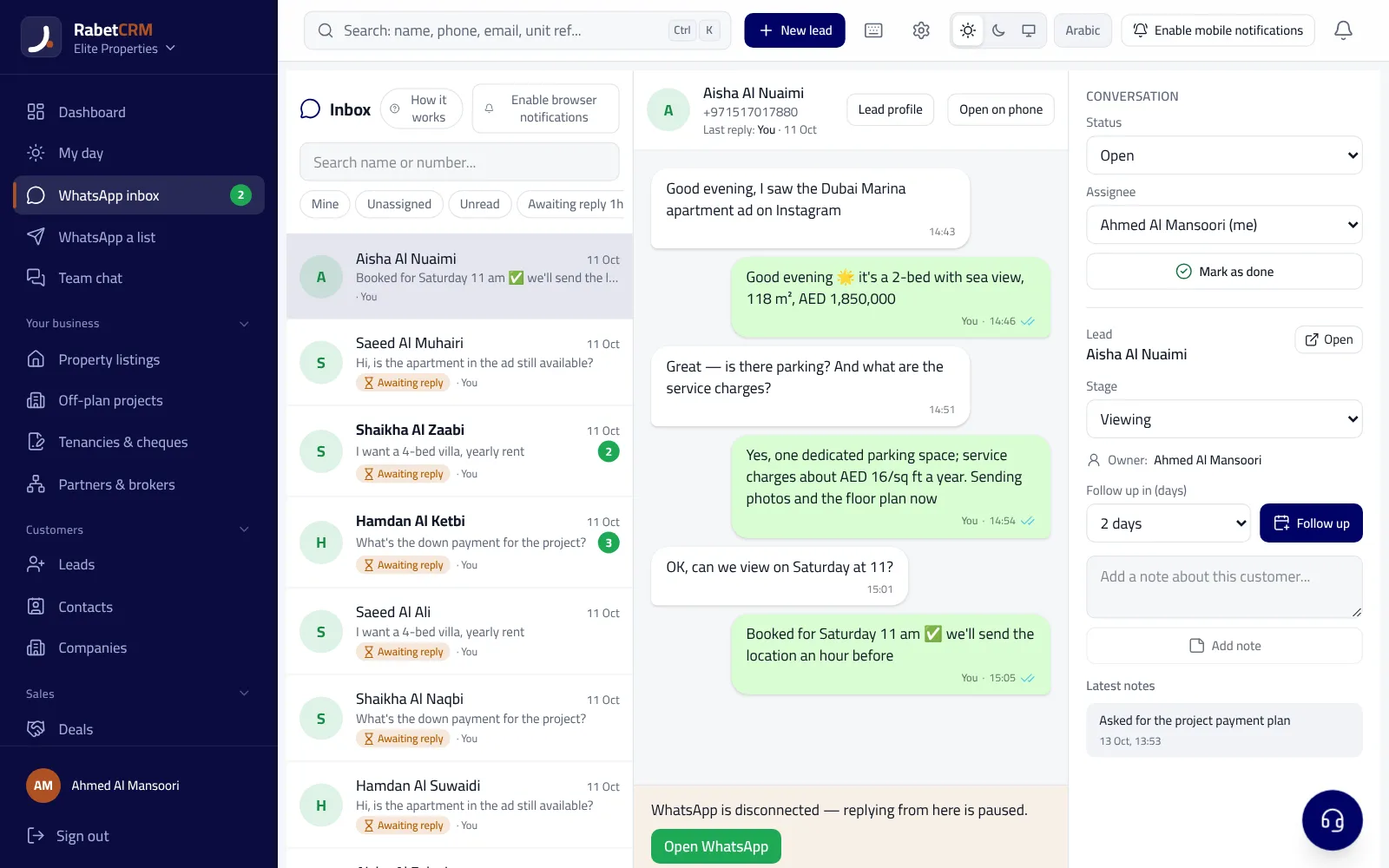
A WhatsApp CRM for real estate connects the agency's WhatsApp number to the client management system, so every conversation becomes part of the client record instead of living on one agent's phone. It gives an agency five things: a shared inbox where each agent sees their own clients and the manager sees everyone, automatic assignment of new leads to agents, templates and quick replies that speed up responses, portal and ad leads captured in the same place, and response-time reports per agent. In this guide we explain each part, the difference between the WhatsApp Business app and the WhatsApp Business API, and how to get started without losing your number or your conversations.
Last updated:
Why does a real estate agency need a WhatsApp CRM?
In the UAE, Saudi Arabia and Egypt most property clients start the conversation on WhatsApp: after an ad on Bayut or Property Finder, an Instagram ad, or a listing link a friend shared. An agency that manages this from one phone passed between staff, or from agents' personal numbers, faces three recurring problems: leads that go unanswered because nobody noticed, a manager who doesn't know who replied and when, and conversations that walk out the door with an agent who leaves, taking their clients with them.
A WhatsApp CRM fixes this by putting the company number inside the system: every message is logged on the client, every client has a responsible agent, and every delay shows up in the reports. For the technical details of running several agents on one number, read multiple agents on one WhatsApp number.
Assigning leads to agents and reassigning when they're late
First-response speed often decides who wins the client, because clients message several agencies in the same hour. So a WhatsApp CRM needs clear routing rules: round-robin between available agents, by the area the client is asking about, or by source (portal, ad, website). Most important is the reassignment rule: if the agent doesn't reply within the time you set, the lead moves to another agent and the manager is alerted.
In RabetCRM these rules are available on the Growth plan and above, along with an instant WhatsApp reply to new leads and a response-time board per agent. For practical detail on setting fair rules read lead distribution for agents, and for the effect of response speed on deals read speed to lead.
Templates, quick replies and automatic messages
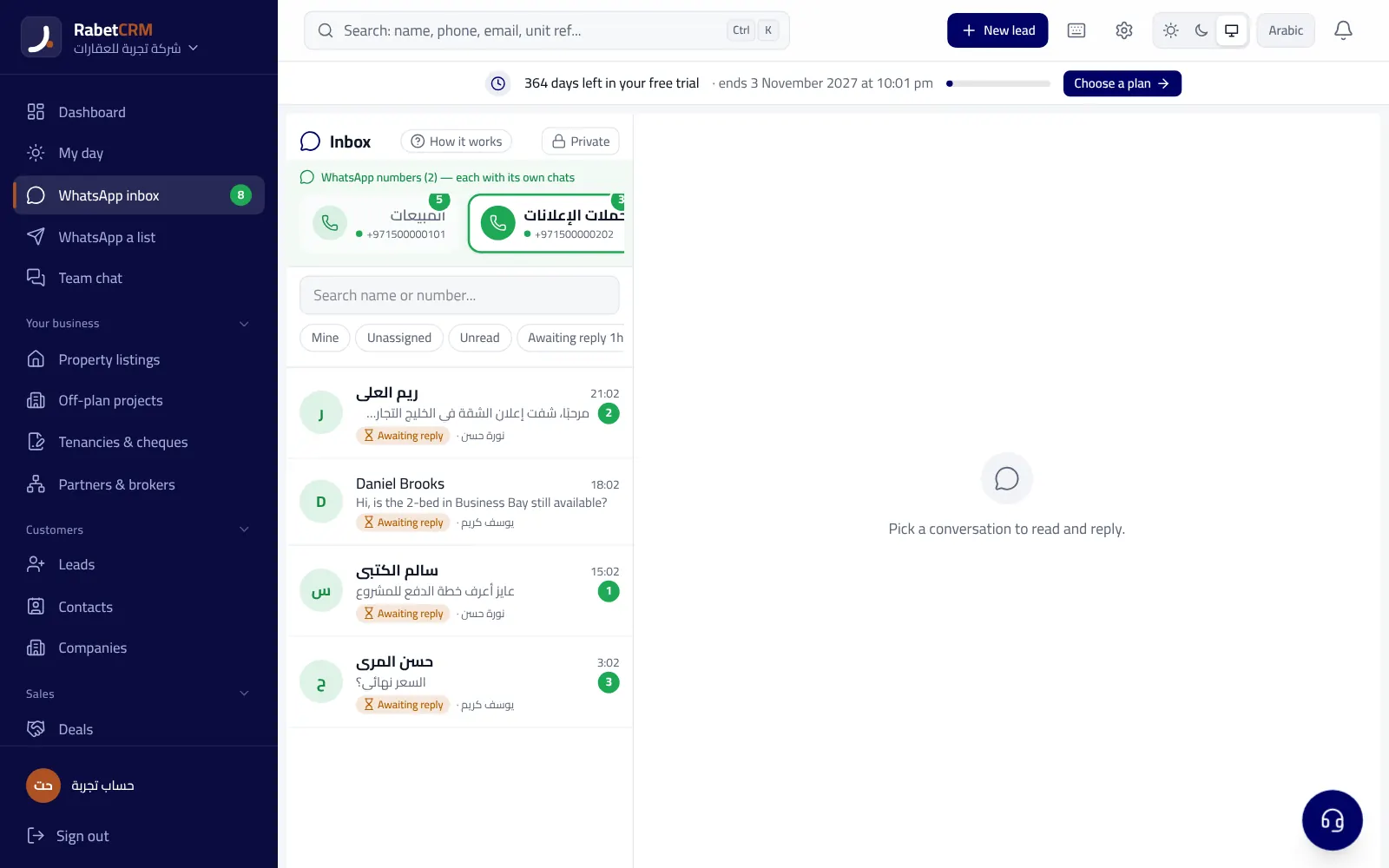
Agents type the same messages dozens of times a day: the welcome, asking for budget and area, confirming a viewing, sending the location. Quick replies save that time: the agent saves a reply once, then calls it up by typing “/” in the message box, with the client's name filled in automatically. There are also automatic messages nobody has to send: a welcome on the first message from a new number, an out-of-hours reply, and keyword replies that stay quiet if someone on the team has replied within the last hour.
On the official connection (the API) there's another kind of template: Meta-approved template messages, which are the only messages allowed outside the 24-hour window since the client's last message, such as an installment reminder or a new listing announcement. Meta reviews these templates before use, and they carry fees paid to Meta by category. Ready-made text examples are in WhatsApp templates for real estate, and the costs in WhatsApp Business API cost.
- An automatic welcome within seconds so the client knows the message arrived
- An out-of-hours reply saying when an agent will be in touch
- Quick replies for repeat questions: budget, area, viewing time
- Approved templates for reminders outside the 24-hour window (official connection)
Capturing portal and ad leads in the same place
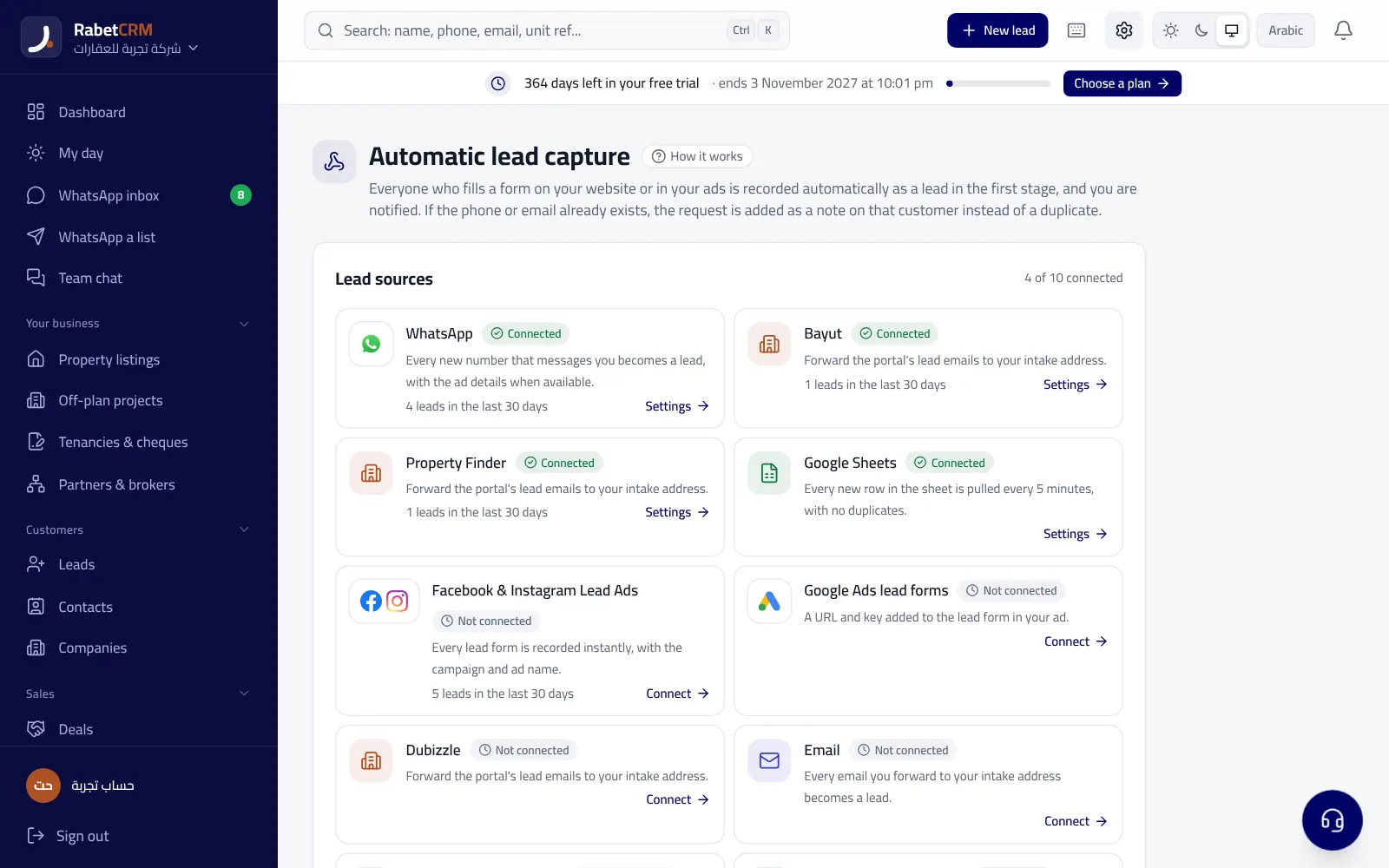
WhatsApp isn't the only source of leads. Portal leads usually arrive by email, and Facebook and Instagram lead-form leads stay in Ads Manager unless someone moves them. If every source lives in a different place, time is lost copying and pasting and responses slow down. The goal is for every lead to enter the same system, be routed by the same rules, and then be followed up on WhatsApp.
In RabetCRM you can forward Bayut, Property Finder and Dubizzle lead emails to an address dedicated to your agency, and the system extracts the name, phone, listing reference and message and creates the lead automatically. Facebook and Instagram lead ads connect directly, so each lead arrives the moment the form is submitted. From the client record the agent opens a WhatsApp chat in one click. Details are in Bayut and Property Finder leads and Facebook and Instagram ads for real estate.
WhatsApp Business app or WhatsApp Business API?
The WhatsApp Business app is free and runs on a phone, and it suits an independent agent or a very small office. But it's designed for one person or a few devices, doesn't route leads, doesn't link chats to the client record and gives the manager no reports. The WhatsApp Business API is Meta's official interface for business systems: it lets a whole team work on one number from inside a CRM and send approved templates outside the 24-hour window, and it's more robust at volume, but template messages carry fees paid to Meta.
RabetCRM supports both routes: the official Meta connection, and the QR connection, which works with your current number for free and quickly but has a daily cap on new numbers so the number isn't at risk of a ban. Start with QR if your message volume is small and you want to try things quickly, and move to the official connection if you message many clients or need templates outside the 24-hour window. Meta's rules change, so check its official documentation before deciding.
| Aspect | WhatsApp Business app | WhatsApp Business API |
|---|---|---|
| Cost | Free | Template messages paid to Meta |
| Team | One person or a few devices | A whole team inside a CRM |
| Messages outside 24 hours | Normal messages from the phone | Meta-approved templates only |
| Reports and routing | Not available | Through a CRM |
A one-week rollout plan
You don't need to change everything in one day. Follow this plan, and after a week measure the average time to first response and the share of leads with a logged follow-up. You can start from the WhatsApp CRM page, or try RabetCRM free for 15 days with no card.
- Day 1: connect the company number (QR or official) and set the welcome and out-of-hours replies
- Day 2: add agents, set what each can see, and turn on routing and late-reply reassignment
- Day 3: forward portal emails and connect Facebook and Instagram lead ads
- Day 4: save ten quick replies for frequent questions
- Day 7: review the response-time board with the team
More articles
Real estate CRM in every emirate
Compare RabetCRM
FAQ
What is a WhatsApp CRM for real estate?
A system that connects the agency's WhatsApp number to the client management system, so every chat is logged on the client, leads are assigned to agents, and the manager sees conversations and response times.
Can several agents reply from one number?
Yes. In a shared inbox each agent replies to their clients from their own device using the company number, and the manager sees every conversation.
Do I need the WhatsApp Business API?
Not necessarily at first. The QR connection is free and uses your current number, with a daily cap on new numbers. The official connection suits higher volume and sending templates outside the 24-hour window.
What happens to the chats if an agent leaves?
The conversations and clients stay on the company number inside the system and are reassigned to another agent in one click.
Do Bayut and Property Finder leads come in automatically?
In RabetCRM, yes — once you forward the portal's lead emails to your agency's address in the system, the name, phone and listing reference are extracted and the lead is created.
Are WhatsApp messages free?
Replies within 24 hours of the client's last message aren't charged as template messages. Template messages outside that window on the official connection are paid to Meta by category.