CRM vs ERP: which one does your business need first?
A CRM manages everything before and during the sale: leads, follow-ups, deals and WhatsApp conversations. An ERP manages what happens inside the company after the sale: accounting, inventory, purchasing and payroll. Most small and mid-sized companies, especially in real estate and services, need a CRM first, because their biggest problem is lost customers, not untidy stock.
Last updated:
A quick definition of each
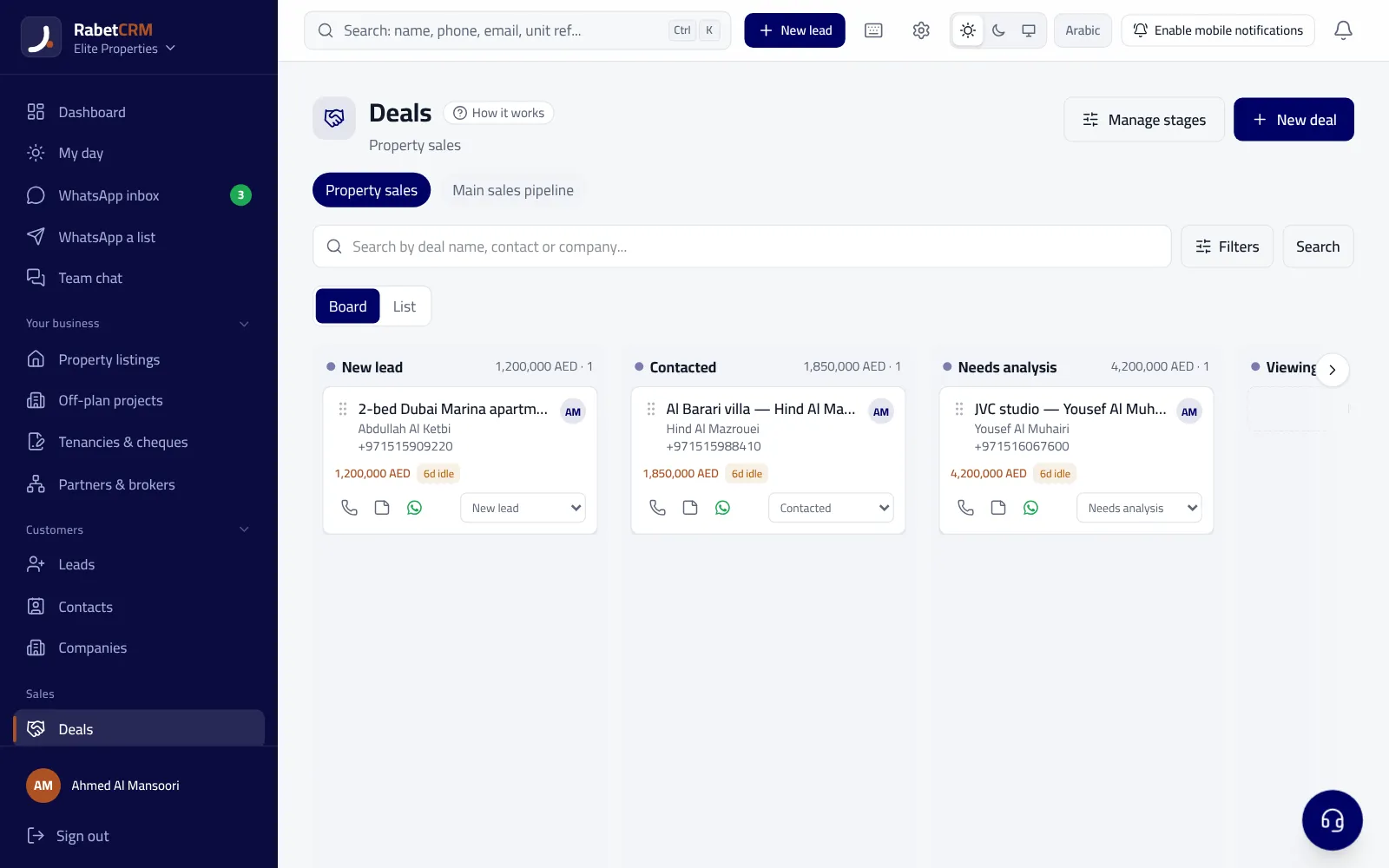
CRM stands for Customer Relationship Management. It is where every new customer lands the moment they contact you, from a Facebook ad, a WhatsApp message or a property portal, and it keeps a record of every call, message, appointment and quote until the sale and after it. Its main users are the sales team, their manager and the business owner.
ERP stands for Enterprise Resource Planning. It connects internal departments: accounting, inventory, purchasing, production and human resources. Its main users are accountants and stock and purchasing managers, and its goal is accurate, connected internal numbers.
CRM vs ERP comparison table
This table sums up the difference in daily use:
| Item | CRM | ERP |
|---|---|---|
| Goal | More sales and no lost customers | Control internal operations and costs |
| Main user | Sales team and management | Accounting, stock and purchasing |
| Data | Customers, chats, deals, appointments | Ledgers, supplier bills, items, payroll |
| Setup time | A few days | Weeks to months |
| First result | Faster follow-up, fewer lost leads | More accurate finance and stock reports |
Which do you need first?
Ask yourself where the company is losing money right now. If customers ask and nobody replies in time, a rep leaves with customer numbers, or you can't tell which ad brings buyers, you need a CRM. If the problem is stock, expenses and bookkeeping, you need an ERP or accounting software.
Real estate firms, marketing agencies, clinics and service offices have almost no traditional inventory, and all their revenue comes from customers who must be followed up quickly. So the CRM is their first system, and a simple accounting tool is enough for bookkeeping at the start.
A real estate example
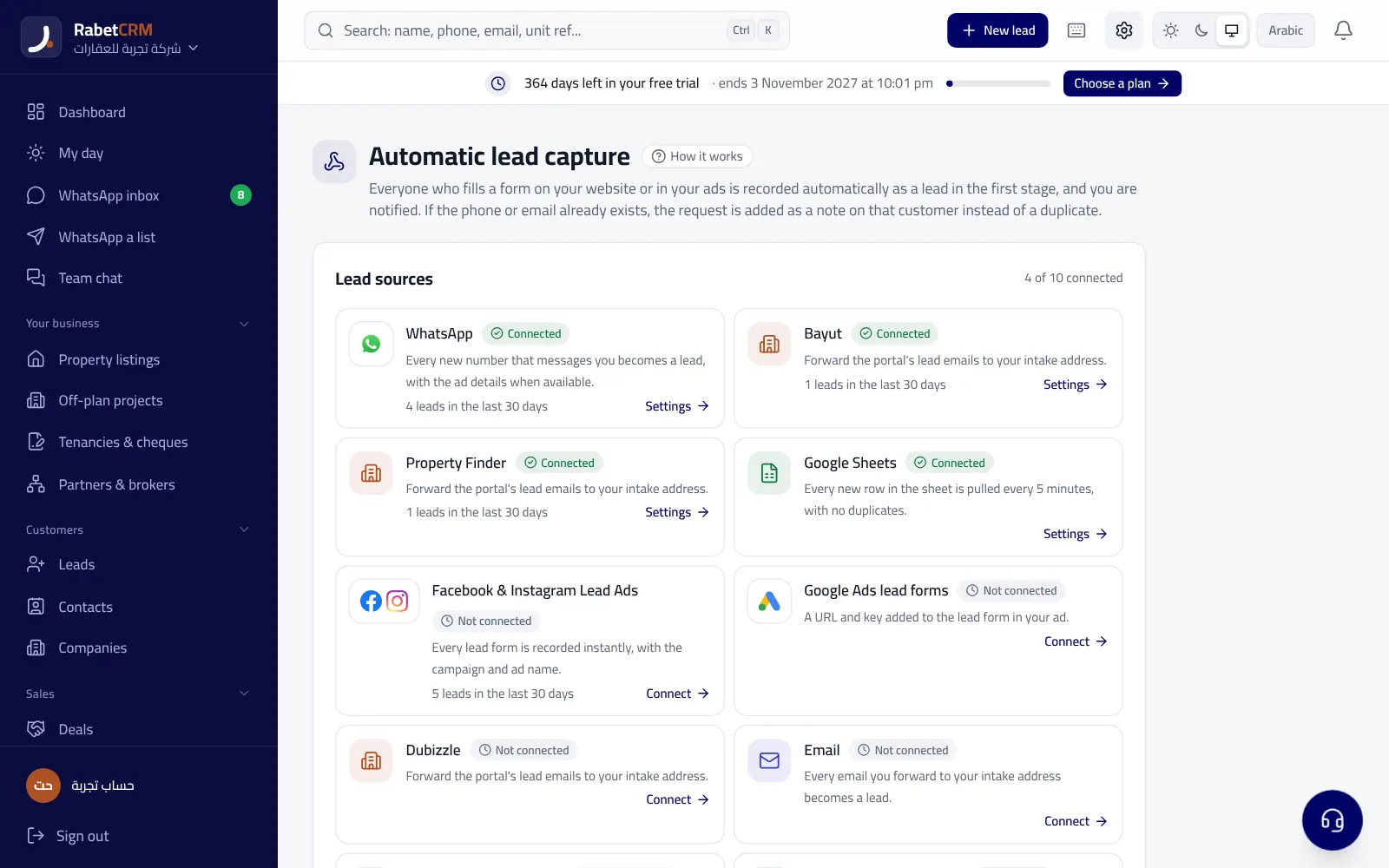
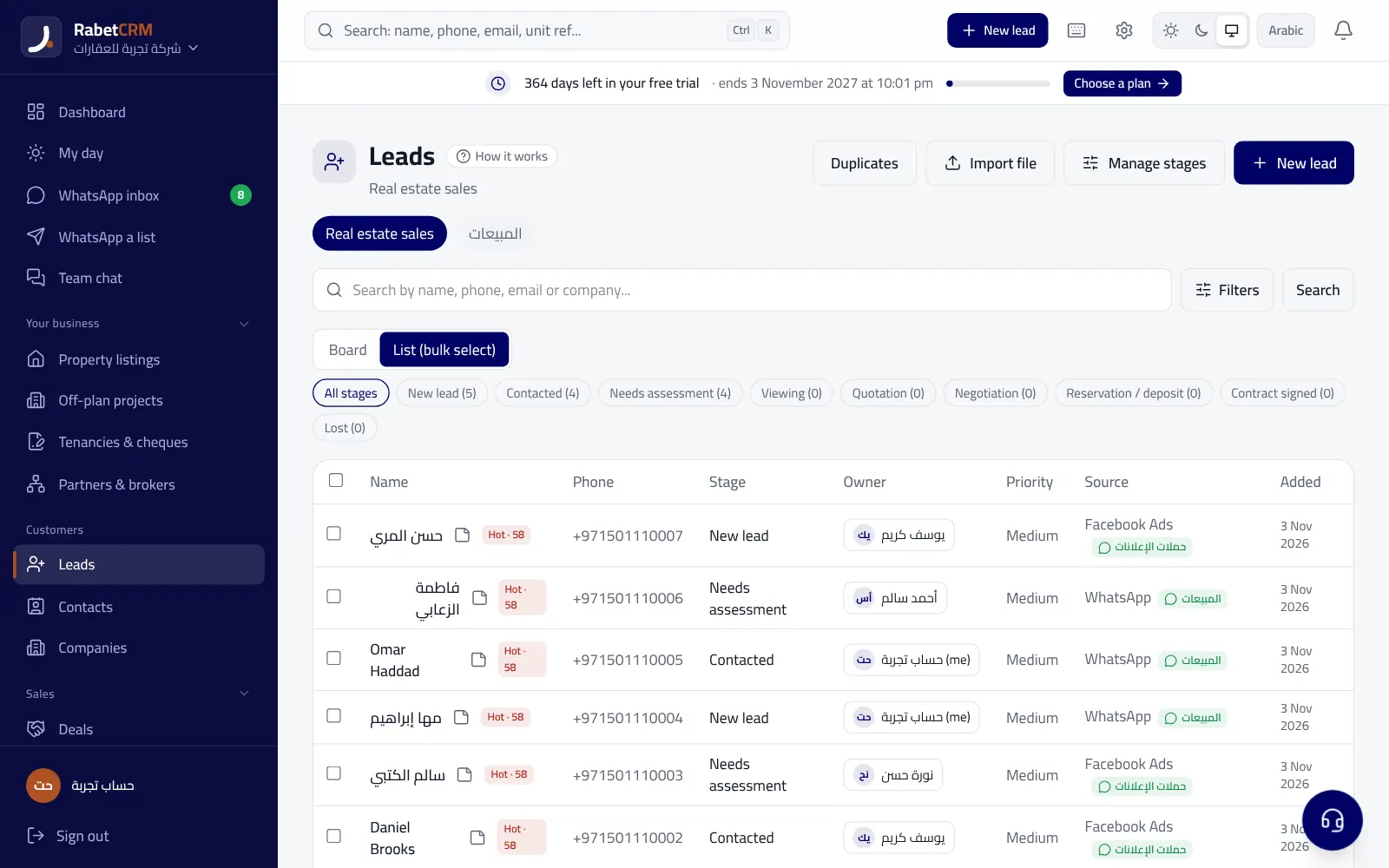
A real estate marketing company has ten sales reps and spends on Facebook ads every month. Without a CRM, leads arrive in a sheet or a WhatsApp group, some are never called, and the manager can't see who replied. With a CRM, every lead comes in automatically and is assigned to a rep within seconds, the manager sees who is late, and the viewing, offer and commission are recorded on the deal.
This company doesn't need an ERP at this stage: it doesn't buy or store goods. It only needs to know its commission income and basic expenses, which simple accounting software beside the CRM handles.
When do you need both?
When the company grows and has stock, several branches and complex accounts, it needs both. Then they must talk to each other: a won deal in the CRM becomes an invoice in accounting, and customer data isn't duplicated across two systems. This is usually done through an API, webhooks or tools such as Zapier.
The common mistake is buying a huge ERP at the start because it includes a small CRM module. The CRM inside ERP suites is often weak at customer communication, with no real WhatsApp and no smart lead routing, so the sales team drifts back to Excel.
Signs your company needs a CRM now
You don't have to be a big company to benefit from a CRM. Small offices with two or three people gain quickly, because every lost customer is a large share of the month's income. If you see one or two of the signs below, a CRM is your priority before any other system, and an ERP can wait until your internal operations actually grow.
- Customers say nobody replied, or someone replied two days later.
- Each rep keeps their customers on a personal phone.
- You don't know how many deals are open now or their expected value.
- You spend on ads without knowing which ad led to a deal.
- Two reps call the same customer with different answers.
- The manager asks every day: what happened with that customer?
Before you choose: six questions
Answer these before buying any system:
- Where do customers come from? Facebook, WhatsApp, portals, walk-ins?
- How many people answer customers, and do you know who answered whom?
- Do you have stock or purchases that need daily tracking?
- Do you need VAT invoices for customers?
- Is the system in Arabic and does it work on a phone?
- How long is the rollout, and who will train the team?
Where does RabetCRM fit?
RabetCRM is an Arabic CRM, not an ERP. It covers what a sales team needs: leads from Facebook, portals and WhatsApp, routing to reps, follow-ups, deals and commissions, VAT quotes and invoices, and reports. To connect with your accounting software or an ERP it offers an API and webhooks and works with Zapier. You can try it for 15 days or read the CRM guide.
More articles
Real estate CRM in every emirate
Compare RabetCRM
FAQ
Is a CRM part of an ERP?
Some ERPs include a CRM module, but it is usually simpler than a dedicated CRM, especially for WhatsApp, lead routing and follow-ups.
Does a small real estate company need an ERP?
Usually not. It needs a CRM for customers and deals, and simple accounting software for income and expenses.
What's the difference between a CRM and accounting software?
Accounting records money in and out; a CRM helps you win that money through customers, follow-ups and deals.
Can a CRM connect to accounting software?
Yes, through an API, webhooks or tools like Zapier, so won deals or invoices move across automatically.
How long does a CRM take to roll out?
A simple CRM can be live in a week: sales stages, customer import, WhatsApp and ad connections, then the team.
Is 'si ar em' the same as CRM?
Yes, 'si ar em' is how the letters CRM are pronounced in Arabic, and in Egypt it is also called a 'CRM system' or 'customer follow-up software'. All are names for the same system that keeps customers, follow-ups and deals in one place and routes them to the sales team.