Several agents on one WhatsApp number: how a property office organizes team chats
To have several staff work one company WhatsApp number you have three options: link extra devices to the WhatsApp Business app (limited and without permissions), use the WhatsApp Business Platform (the API) through software, or connect the number to a CRM with a shared inbox. The third suits property offices best: conversations stay on the client's record, new chats are routed to agents, and you control who sees what — so no conversation is lost when someone leaves and two agents never answer the same client.
Last updated:
Why one company number?
In many property offices each agent talks to clients from a personal number. That feels convenient at first, but it means clients and conversations belong to the agent, not the company. When an agent leaves, they take the client history and everything said about units and prices. The manager can't see response quality or speed, and doesn't know whether a client heard two different offers from two agents.
A single company number solves this: ads, portals and the website all point to one number, and conversations stay with the company. The only challenge is organizing the team around that number, and that's where the options differ.
The three options in detail
Option one is linked devices in the WhatsApp Business app: the same number opened on several phones or browsers. It's free and quick, but the number of devices is limited under WhatsApp's policy, everyone who opens the number sees every chat, there's no way to tell who replied to whom, and no routing of new chats.
Option two is the WhatsApp Business Platform (the API): the number runs through software and many staff can work it. It's the official route for large teams and campaigns, with charges on template messages. Option three connects the number to a CRM with a shared inbox — via the API or a quick link — combining teamwork with everything logged on the client.
| Criterion | Linked devices | API alone | CRM shared inbox |
|---|---|---|---|
| Number of staff | Limited | Large | Large |
| Permissions | None | Depends on software | Each agent sees their own |
| Chat routing | No | Depends on software | Automatic |
| Logged on client record | No | Depends on software | Yes |
| Cost | Free | Template fees + software | Subscription + template fees if used |
Rules for a team on one number
Technology alone isn't enough. You need simple rules everyone knows: every new chat has one owner, an agent doesn't reply to a colleague's assigned chat unless it's transferred, and a chat unanswered within a set time moves to someone else. Add a short sign-off with the agent's name, so the client knows who they're talking to even though the number is shared.
- One owner per new chat
- Transfer a chat instead of a colleague replying
- Maximum response time, then automatic reassignment
- Agent's name in the sign-off
- Internal notes on the chat that the client can't see
What to measure on a shared number
The advantage of a single number is that everything becomes measurable. Track weekly: new chats per source, average first-response time per agent, the share of chats that became viewings, and chats left unanswered for more than a day. These numbers quickly reveal an overloaded agent whose routing share should drop, or an ad source that brings many chats but no viewings.
Permissions and client data protection
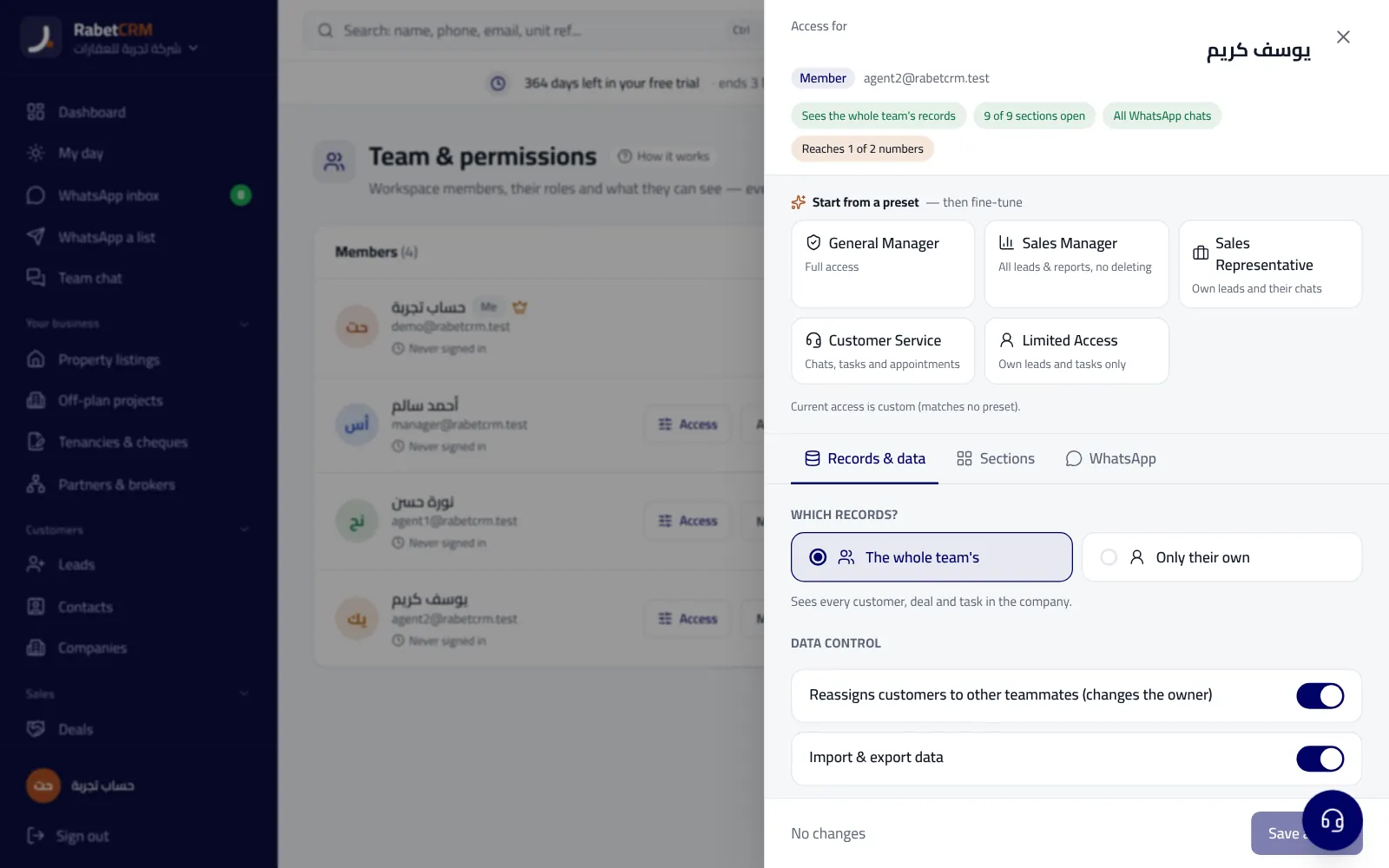
When ten people work one number, the question becomes: should everyone see every chat? In most offices, no. An agent sees their own clients' chats, the manager sees everything, and some roles like customer service see what belongs to their area. This protects client data, reduces disputes over who owns a client, and makes any departure less risky for the company.
A working day on a shared number: an example
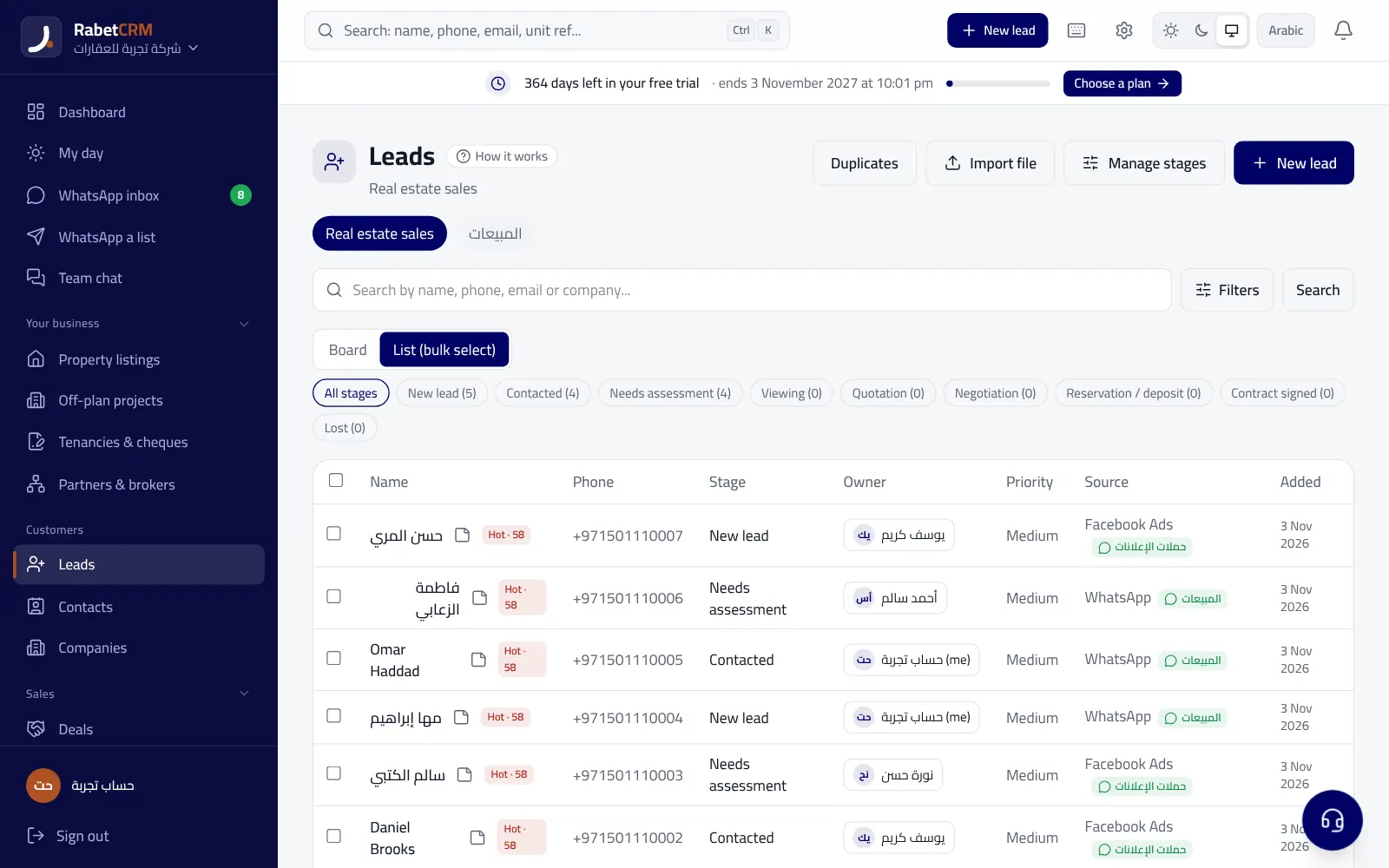
At 9 a.m. a message arrives from a client who saw a villa ad in Arabian Ranches. The system opens a lead record, assigns it round-robin to the area agent, and she gets an alert. She replies within minutes with unit photos and asks about budget and move-in date. In the afternoon the client calls the office and a colleague answers; he opens the client record, sees the full chat and her notes, and continues the conversation instead of starting from scratch.
In the evening she's at a viewing and doesn't answer a new message within the set time, so the manager is alerted and the on-call agent sends a short reply confirming the appointment. Next day the manager's report shows how many new chats arrived, average response time per agent, and how many viewings were booked. All on one number, without the client noticing that three people worked together to serve them.
Moving from personal numbers to a company number
Don't try to move everything in one day. Start by pointing all new ads and portal listings to the company number, and let old chats on personal numbers end naturally. Within a month or two, most conversations will be on the company number. Meanwhile, record current clients in the CRM with their owning agent, so nobody gets lost in the transition.
Explain the why to the team: a shared number isn't about watching agents but protecting their clients from getting lost, distributing leads more fairly, and reports that show their effort. A team that understands the benefit adopts the system faster.
The team WhatsApp inbox in RabetCRM
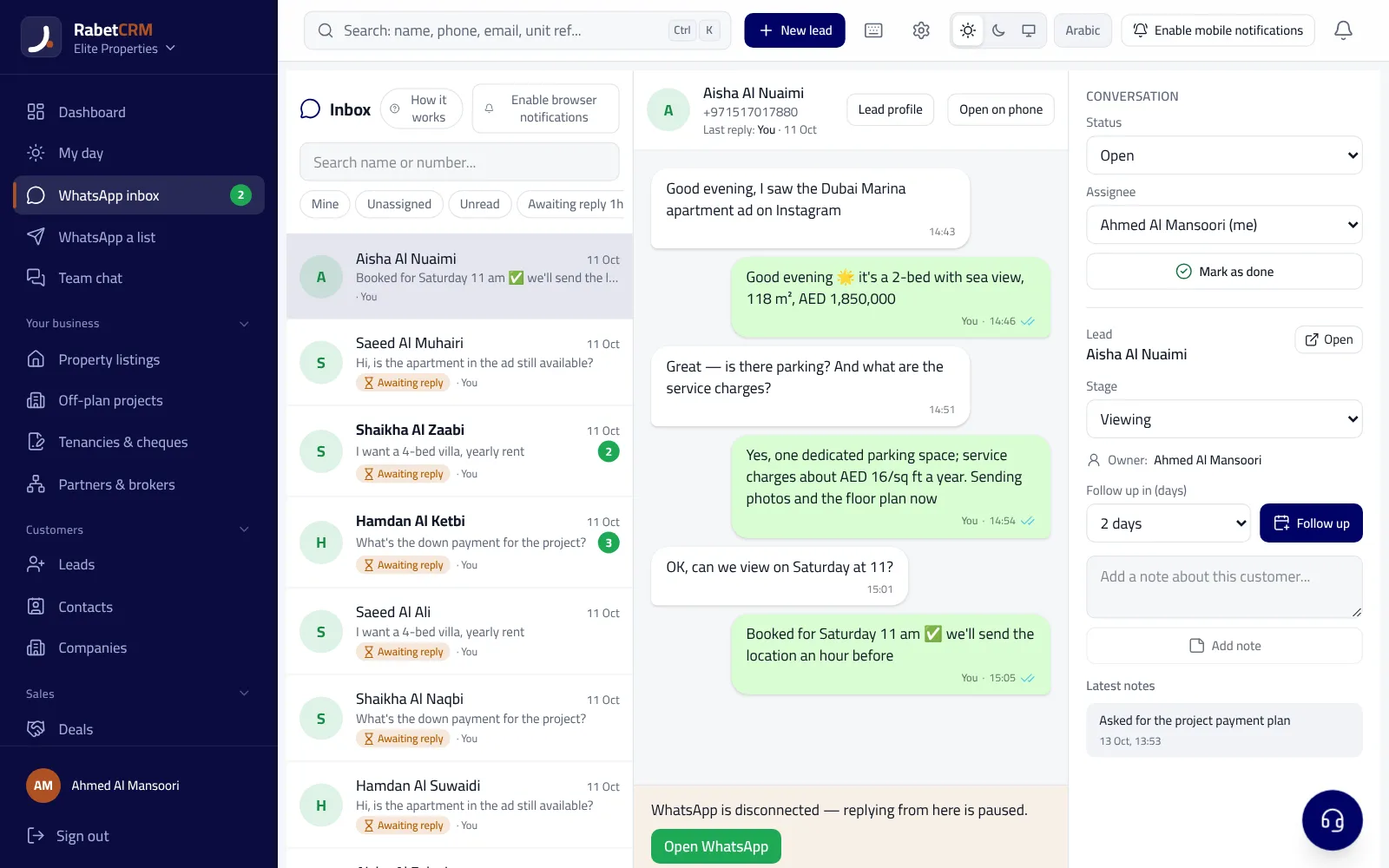
In RabetCRM the team works the company number (or several numbers) from a shared WhatsApp inbox: every new number becomes a lead, chats are routed to agents, and you can limit each salesperson to their own clients' chats, with quick replies, internal notes and a response-time report. See also WhatsApp Business API cost and the WhatsApp CRM page.
More articles
Real estate CRM in every emirate
Compare RabetCRM
FAQ
How many devices can link to the Business app?
A limited number set by WhatsApp that changes with updates. Check the WhatsApp Help Center for the current figure, and note that linked devices offer no permissions or routing.
Does the client know several people reply?
They see one number, so agents should sign with their name and one person should own each client so answers stay consistent.
What happens to chats when someone leaves?
With a company number and a CRM, chats stay on the client record and the manager reassigns them in a click without losing history.
Can the company use several numbers?
Yes. Some offices use a number per branch, project or language, and pull them into one inbox with routing by number.
Does a shared inbox require the API?
Not always. Some systems offer a quick link to start, while the API suits campaigns and larger teams better. Choose by team size and how you communicate.