Following up real estate leads on WhatsApp in the UAE: speed, cadence and message templates
Effective WhatsApp follow-up rests on three things: a reply within minutes of the enquiry, a clear cadence (day 1, then days 2, 4, 7 and 14) where every message adds something new, and a shared company number where the manager sees every chat instead of agents' personal phones. When sending through the official WhatsApp Business Platform (API), any message you start more than 24 hours after the client's last message needs a Meta-approved template.
Last updated:
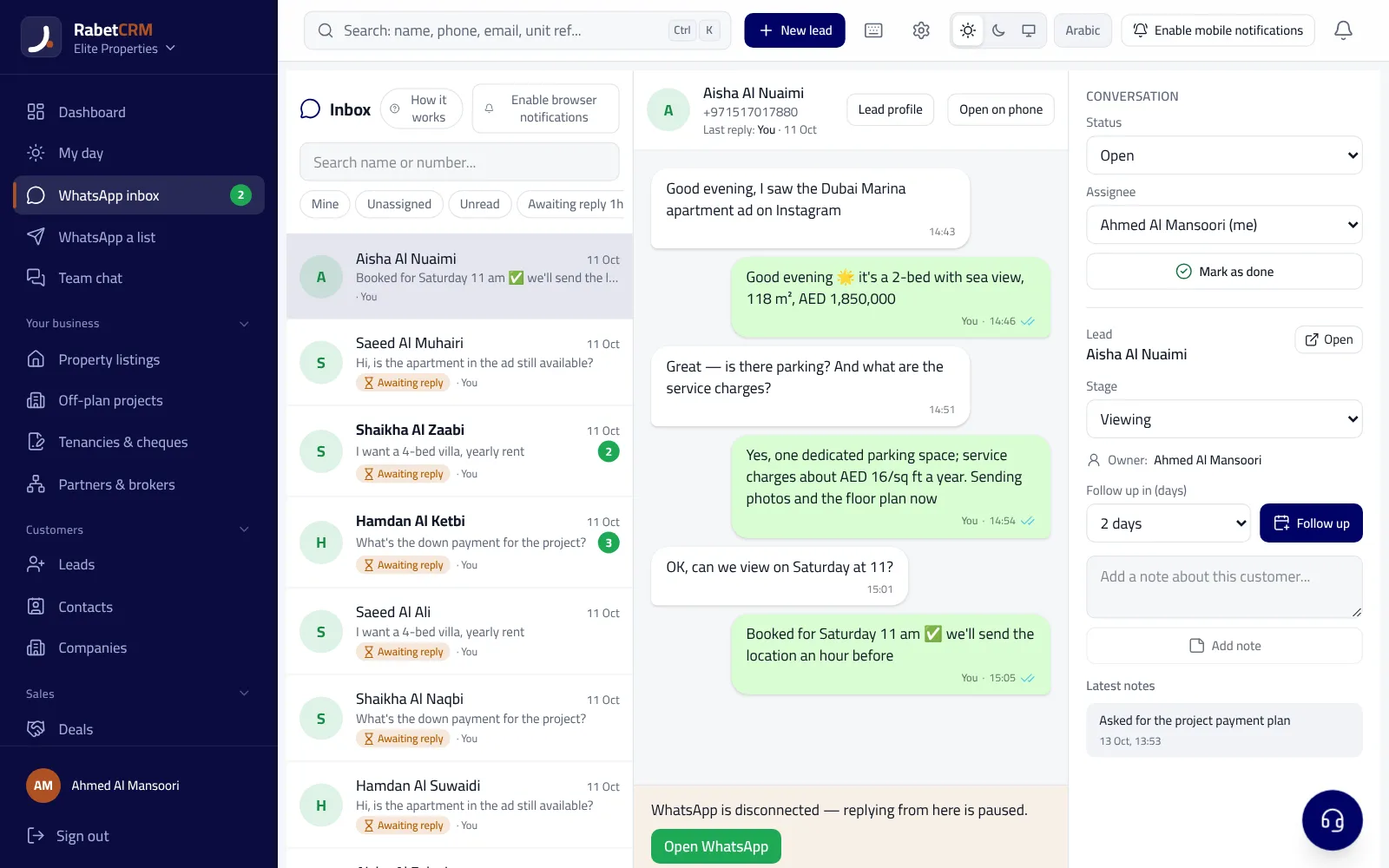
Why is WhatsApp the main follow-up channel for UAE real estate?
Most property clients in the UAE — nationals, residents and overseas investors — prefer WhatsApp to calls and email. The portals themselves show a WhatsApp button on listings, so the client reaches you already asking about a specific unit. That convenience also means the same client has messaged several agencies at once.
The agency that wins replies fast with something useful, follows up regularly without pestering, and keeps the full conversation history even when the agent changes. All three are very hard when chats are spread across agents' personal phones.
How fast should you reply to a property lead on WhatsApp?
Make it the rule: an automatic welcome within seconds and a personal reply from the agent within minutes during working hours. The welcome confirms the message arrived and names the agent who'll follow up; the personal reply answers the real question: is the unit available, what are the price and payment terms, and when can they view?
Out of hours, don't leave the client unanswered until morning. An automatic message setting expectations (e.g. "your agent will contact you tomorrow before 10am") beats silence — and beats a promise nobody keeps.
Measure response time per agent weekly. What isn't measured doesn't improve, and you'll often find most lost leads arrived at peak hours or during viewings. For the portal side specifically, see our Bayut and Property Finder leads guide.
The follow-up cadence: how many messages, and when?
Most property deals don't close in the first conversation, and many agents stop after one or two messages. The fix is a fixed cadence where every message gives a new reason to reply — not just "are you still interested?".
If there's no reply after day 14, move the client to a monthly follow-up with new matching units — don't delete them: today's tenant may be tomorrow's buyer. For tenancies, the most important follow-up starts months before renewal; see our Ejari and renewals guide.
| Timing | Goal | Message content |
|---|---|---|
| Within minutes | First reply and qualification | Confirm availability + budget, timeline, payment method |
| Day 1 | Show options | The unit + two alternatives with photos, location and a viewing slot |
| Day 2 | Gentle nudge | A specific question: which option is closest to what you need? |
| Day 4 | New value | A new matching unit or an area/schools insight |
| Day 7 | Prompt a decision | A price change, owner offer or a viewing slot |
| Day 14 | Polite close-out | Shall we pause? I'll send new options monthly |
Ready-to-copy WhatsApp templates for property agents (Arabic & English)
Copy these templates and adapt them to your agency's tone. Placeholders like {name} are replaced with the client's details. Keep messages short, open with the client's name and end with one clear, easy-to-answer question.
If you send via the official API, any message you start more than 24 hours after the client's last message (such as a price-drop alert or a new listing) must be a template pre-approved by Meta, and Meta may charge for it depending on the template category and the recipient's country. Meta's prices and rules change, so check their official pricing page before large campaigns.
- First reply: "Hi {name}, this is {agent} from {company}. Thanks for your interest in unit {listing ref} in {area}. It's currently available. Is it for living or investment, and what's your approximate budget?"
- Viewing confirmation: "Hi {name}, confirming your viewing of {unit} on {day} at {time}. Location: {map link}. Please bring your Emirates ID or passport for building access. Does that time still work?"
- After viewing: "Thanks for your time today, {name}. What did you like most about the unit, and what would you change? If you like, I can send two similar options at a close price."
- Price drop: "Hi {name}, good news: the owner has reduced {unit} in {area} from AED {old price} to AED {new price}. Shall we book a viewing this week?"
- New matching listing: "Hi {name}, a unit matching your search just came in: {beds} bedrooms in {area} at AED {price}. Details and photos: {listing link}. Would you like to view it?"
- Polite close-out (day 14): "Hi {name}, I don't want to bother you. Shall we pause the search for now? I'll send suitable new units once a month, and you can stop them anytime."
WhatsApp Business app or the official API — and which rules apply?
The free WhatsApp Business app suits a solo broker: one number on one phone plus linked devices, with greeting messages and quick replies. But it gives the manager no view of all chats, doesn't distribute conversations to agents, and doesn't tie a chat to the client's record and deal.
Meta's official WhatsApp Business Platform is the safer option for teams: it doesn't depend on one phone and supports automatic replies, approved templates and several agents on one number. Its core rule is the 24-hour window: inside it you reply freely; outside it you can only start with an approved template.
Whichever route you use, send marketing messages only to people who contacted you or opted in, and honour opt-outs immediately. Bulk-messaging purchased numbers risks getting the number banned and may breach the UAE personal data protection law (Federal Decree-Law No. 45 of 2021).
| Criterion | WhatsApp Business app | Official API via a CRM |
|---|---|---|
| Users | One phone plus linked devices | A whole team on the company number |
| Manager visibility | Limited | Every chat and response time |
| Messages after 24h | Regular messages | Meta-approved templates (may carry a fee) |
| Link to client record | No | Yes, with the unit and deal |
| Ban risk | Higher with bulk sending | Lower when policies are followed |
A shared WhatsApp team inbox: how it works in RabetCRM
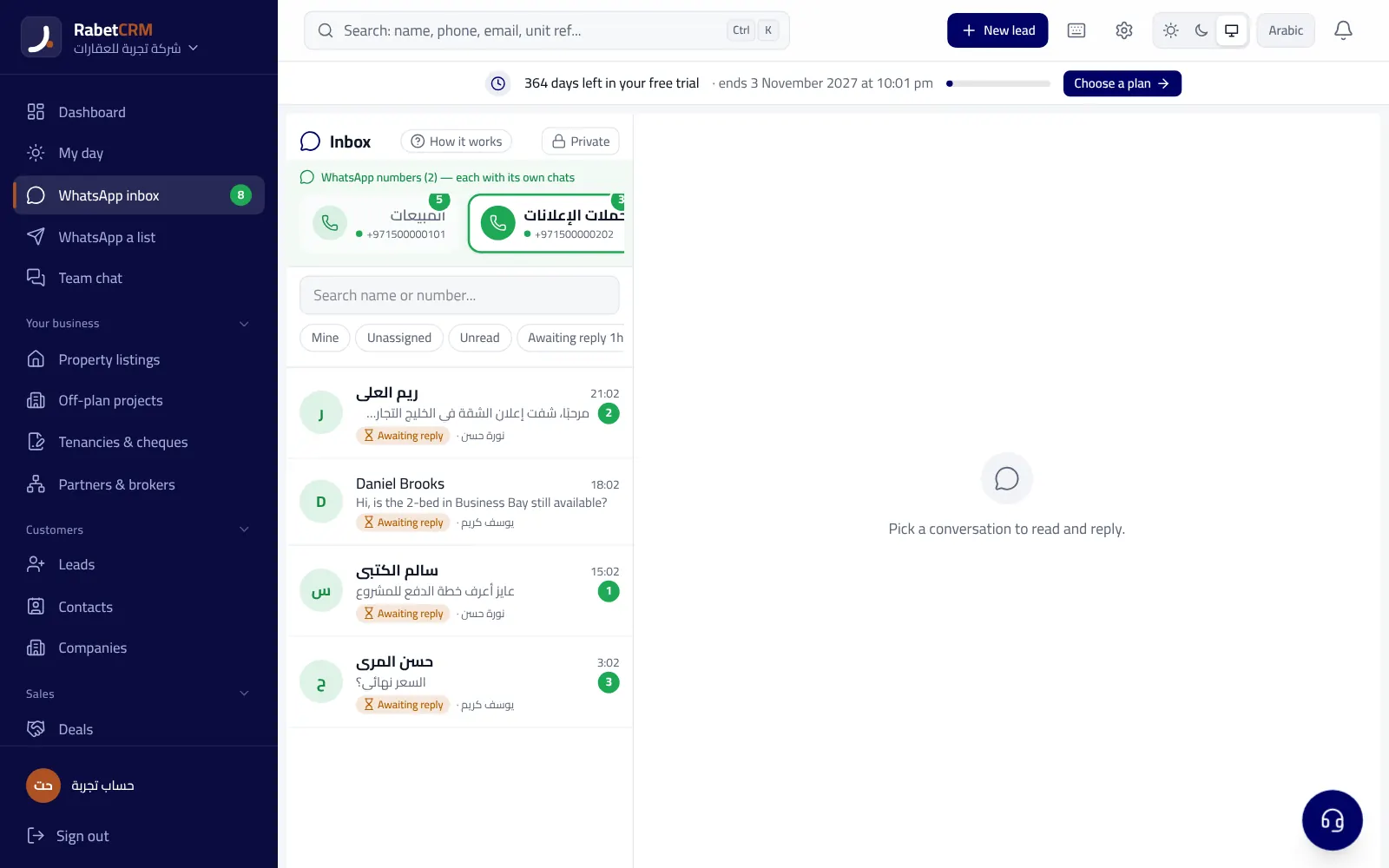
With WhatsApp inside RabetCRM you connect the company number (or several) and it becomes a shared team inbox: every new number becomes a lead, is routed to an agent by round-robin, area or source, and receives an automatic welcome. Quick replies save retyping, and bulk messages are available for opted-in lists.
You can connect officially through Meta (the safest), link by QR code with the WhatsApp Business app, or use the free "open on phone" button that opens WhatsApp with a ready message and logs it on the client's record. Connecting itself is free within your plan.
Two features help follow-up in particular: a branded listing page you send to the client, with an alert when they open it so you call while they're interested; and a lead hotness score (0–100) built from WhatsApp replies, opened listing links, upcoming appointments and pipeline stage, so agents know whom to call first each morning. Lead–listing matching suggests who should get your "new listing" message.
Common WhatsApp follow-up mistakes
Most mistakes aren't about wording but organisation. Go through this list with your team, then try the full workflow on a 15-day free trial with no card; plans are on the pricing page. It works in Dubai, Abu Dhabi, Sharjah and every emirate, with real estate details on the real estate CRM page.
- Following up from agents' personal phones: chats leave with the agent.
- Very long messages, or voice notes nobody asked for.
- Sending 10 units at once instead of 2–3 well-chosen options.
- Stopping after a single unanswered message.
- Marketing messages to numbers that never opted in.
- Not logging each chat's outcome (interested, viewing, not suitable) on the record.
More articles
Real estate CRM in every emirate
Compare RabetCRM
FAQ
How often should I follow up a property lead on WhatsApp?
A practical cadence: reply within minutes, then days 1, 2, 4, 7 and 14, then monthly with new matching units. Each message should bring new information or a new option.
What is WhatsApp's 24-hour window?
On the official API, each client message opens a 24-hour window in which you can reply freely. After it closes you can only start with a Meta-approved template, which may be charged under Meta's current rules.
Can several agents use one WhatsApp number?
Yes, through a shared inbox in a CRM connected to the number; each chat has an owner and the manager sees all of them.
Is bulk WhatsApp messaging allowed in the UAE?
Send only to people who contacted you or opted in, and honour opt-outs. Messaging purchased lists can get the number banned and conflict with data protection law.
What's the best message after a property viewing?
A short same-day message thanking the client, asking what they liked and what they'd change, and offering two similar options. Their answer guides your next step.
Is connecting WhatsApp to RabetCRM free?
Yes, connecting is free within your plan. Any possible fees come from Meta for templates you start outside the 24-hour window on the official connection.