Excel vs CRM for UAE real estate brokers: when to switch and how
Excel or Google Sheets is enough for a solo broker with a handful of clients they follow up personally. But once Bayut, Property Finder and WhatsApp leads arrive daily and more than one agent works them, the spreadsheet starts losing leads and slowing replies; that's when you need a real estate CRM that captures leads automatically, routes them and reminds the team to follow up. The switch itself takes about a day if you import your existing file as it is.
Last updated:
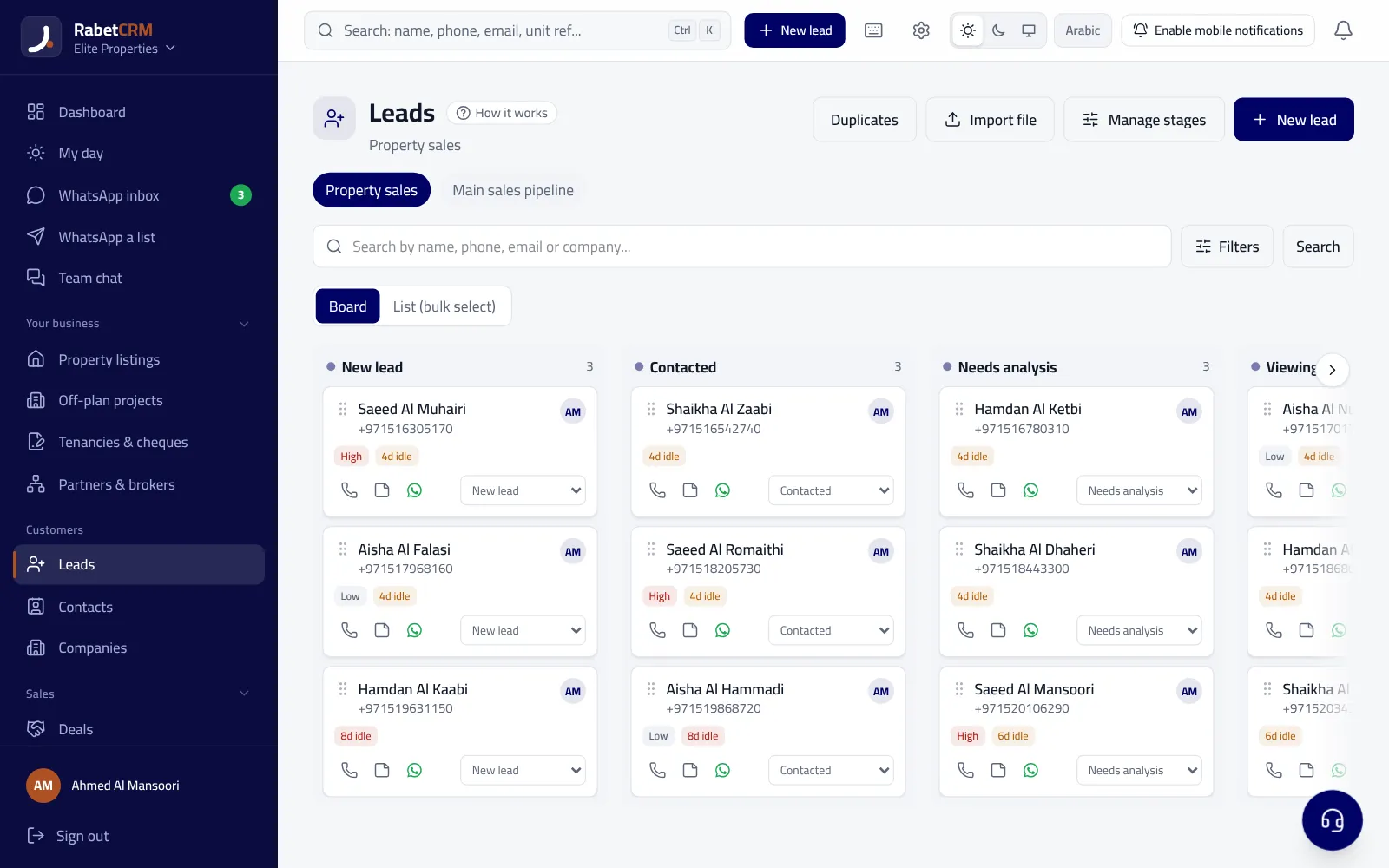
What are the signs your brokerage has outgrown Excel?
Excel is an excellent tool for calculations and analysis, and many agencies in Dubai and Sharjah started with it. The problem isn't the tool; it's that brokerage work has changed: a client enquires on a portal, then messages on WhatsApp, then calls two days later and expects whoever answers to remember them. A spreadsheet sees none of that unless someone types it in by hand.
If three or more of the following apply to you, the spreadsheet is most likely costing you deals without you noticing:
- Portal leads sit in the inbox for hours before anyone copies them into the sheet.
- Each agent keeps their own file or WhatsApp chats on their phone, so management never sees the full picture.
- You find a lead was called by two agents — or by nobody.
- Follow-up dates live in an agent's head or a phone note.
- When an agent leaves, their client list leaves with them.
- The monthly report takes a day of copying and fixing.
- You don't know how long each lead waited for a reply, or which source brings the best clients.
Excel / Google Sheets vs a real estate CRM: comparison
The table compares what a UAE brokerage needs day to day. By “real estate CRM” we mean a system built for brokerage work, not any generic contact manager; some global CRMs are powerful but need extra setup and integrations to fit local portals and WhatsApp.
| Criterion | Excel / Google Sheets | Real estate CRM |
|---|---|---|
| Lead capture | Manual entry or copy-paste | Leads created automatically from portals, ads and WhatsApp |
| Bayut & Property Finder leads | Copied from email by hand | Portal emails become leads with name, phone and listing reference |
| Follow-up reminders | None, unless you add outside reminders | Tasks, appointments and alerts per lead |
| On each agent's phone separately | Shared inbox linked to the lead's record | |
| Lead routing | Manager assigns by hand | Round-robin, by area or source, with reassignment when late |
| Team permissions | Anyone with the file sees everything and can copy it | Roles and permissions; agents can be limited to their own records |
| Reports | Manual pivots and copy-paste | Response time, team activity, deals and lead sources out of the box |
| Data loss risk | Accidental deletes, conflicting copies, files leaving with staff | Central data with an activity history and full export when needed |
| Cost | Free or part of an existing subscription | Monthly subscription |
When is Excel genuinely enough?
To be fair: if you're a solo broker working on referrals, with a small number of active clients, and you answer every message yourself, a well-organised Google Sheet may be enough. Add a column for the next follow-up date and one for lead source, and sort by date every morning. Google Sheets keeps version history, which reduces the risk of accidental deletion.
To decide with numbers, work out what “free” Excel costs your own office. A hypothetical example: an agency receives 200 portal leads a month, a quarter of them wait more than an hour for a reply, and some go to another agency. If that costs you just one rental deal a month, the commission on that deal often exceeds a CRM subscription for the whole team. Put your real figures into the commission calculator and compare them with the plans on the pricing page.
The limit shows up quickly with your first paid portal listing or your first hire. In a market like Dubai, a buyer contacts several agencies at once, and whoever replies first often gets the viewing. Here it isn't enough for data to be stored; it has to reach the right agent within minutes on its own. Read more in the Bayut and Property Finder leads guide.
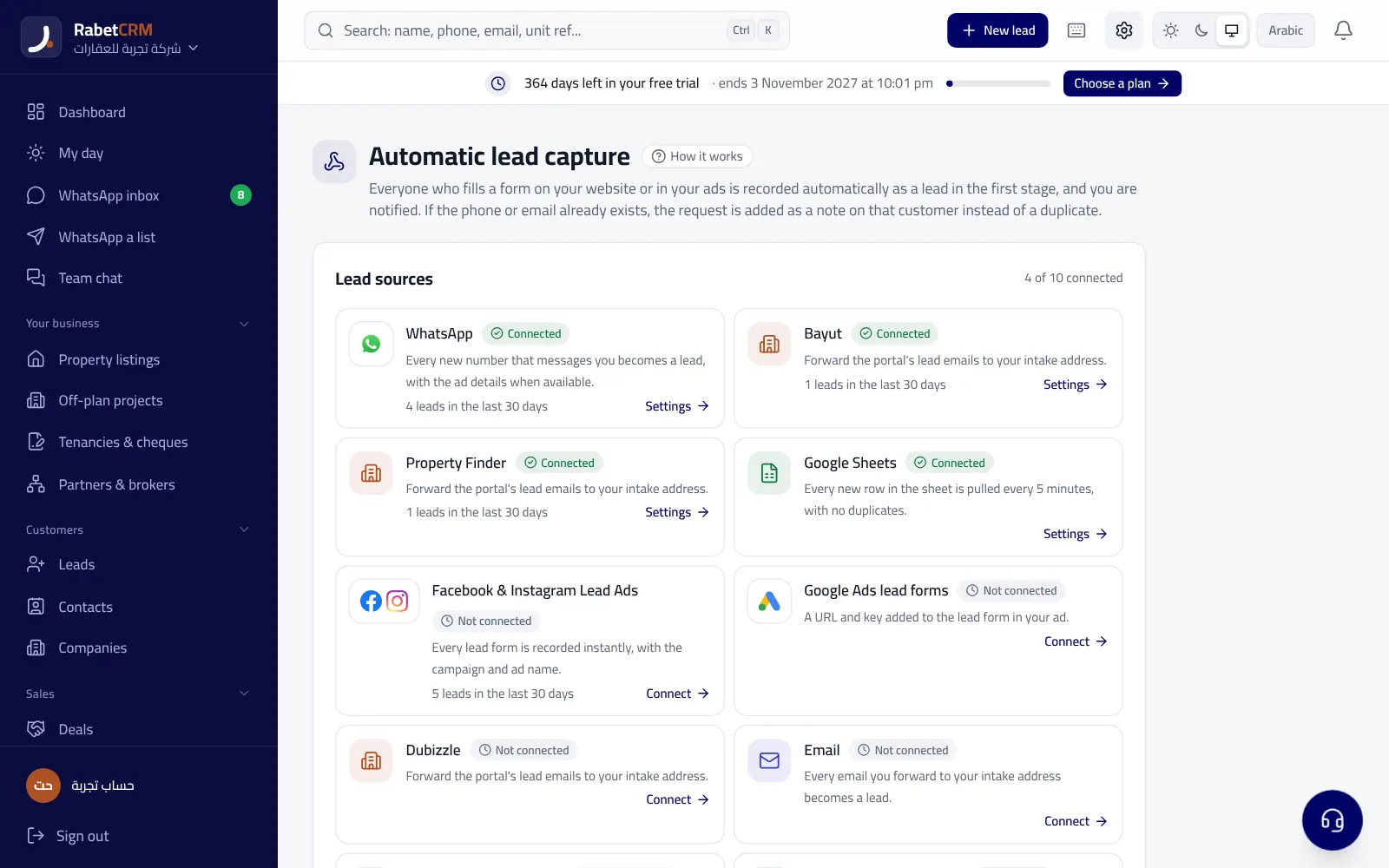
How do you migrate from Excel to a CRM in one day?
Agency owners' biggest worry is that switching will stall work for weeks. In practice, if the CRM accepts your file as it is, the plan below fits into one working day. These steps follow how import works in RabetCRM and work as a reference for any system:
- Morning — quick clean-up: merge agents' files into one, delete empty rows, and make sure phone numbers sit in one column. It doesn't need to be perfect.
- Import: upload the file (Excel, CSV, or a Google Sheet link shared as view-only), or copy the table and paste it. RabetCRM takes up to 20,000 rows at a time and detects columns even without a header row.
- Match columns: pick the name, phone, email, source and interest columns. If you have a status column (new, contacted, interested...), map each status to a pipeline stage.
- Duplicate prevention: the system avoids creating the same number twice, so overlapping agent files aren't a problem.
- Afternoon — connect sources: forward portal lead emails to your company's private address in the system, connect the company WhatsApp number, and turn on lead routing.
- Last hour — train the team: show agents just three things: where to find their leads, how to log a follow-up, and how to reply on WhatsApp from the system.
What should you look for in a UAE real estate CRM?
Before choosing, test the system on a real working day from your office, not a sales demo. Here is a short checklist for brokerages in the UAE:
If you sell off-plan, make sure the system handles payment plans, installments and developer commission, as covered in our off-plan sales management guide.
- A full Arabic (right-to-left) and English interface, since your team and clients are usually mixed.
- Automatic lead capture from Bayut, Property Finder and Dubizzle, plus listing publishing to the portals.
- Built-in WhatsApp as a shared inbox, not just a button that opens the app — see WhatsApp follow-up for real estate.
- Ad permits per emirate (Trakheesi in Dubai, Madhmoun in Abu Dhabi) with expiry alerts.
- Tenancy management: Ejari contracts, post-dated cheques and renewals.
- Permissions that stop an agent exporting the whole database, and a full export of your own data whenever you want.
- Alignment with the UAE Personal Data Protection Law (Federal Decree-Law No. 45 of 2021) and two-step verification.
- AED pricing and a free trial with no card, so you can test before committing.
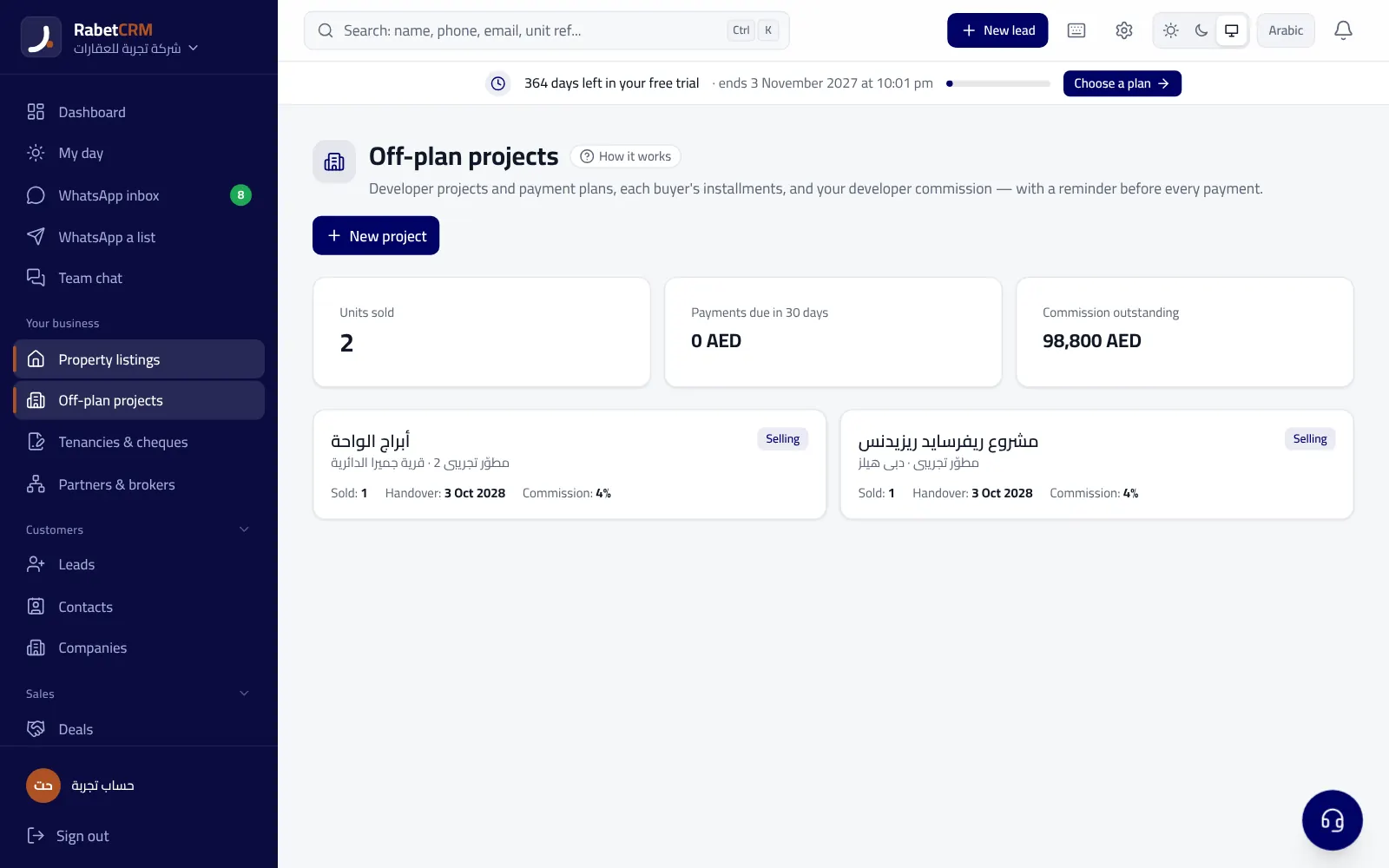
How does RabetCRM cover these points?
RabetCRM for real estate is built for brokerages across all seven emirates: it turns Bayut, Property Finder and Dubizzle lead emails into leads automatically through your company's private address, routes them round-robin, by area or by source with reassignment when an agent is late, and brings WhatsApp chats into a shared inbox. It also covers listings with permits and XML feeds for the portals, tenancies with cheques and renewals, off-plan projects with installments and commissions, and reports on response time and lead sources.
Importing from Excel, CSV, Google Sheets or phone contacts happens on one screen with duplicate prevention, so you start with your current data on day one. If you ever decide to leave, you can export all your data. Try it free for 15 days with no card from the sign-up page, and compare plans on the pricing page. If your office is in Abu Dhabi or Sharjah, there's a page for each emirate and its rules.
More articles
Real estate CRM in every emirate
Compare RabetCRM
FAQ
Can you run a real estate brokerage on Excel alone?
Yes for a solo broker with few clients they follow up personally. But with daily portal leads and several agents, Excel struggles to guarantee fast replies, fair routing and no lost leads, and a real estate CRM becomes cheaper than the deals you lose.
What's the difference between a CRM and Google Sheets?
Google Sheets stores data in a table; a CRM moves it: it captures leads automatically, routes them to agents, reminds the team to follow up, links WhatsApp chats to the client record, and gives ready reports and role-based permissions.
How do I move my clients from Excel to a CRM?
Merge your files into one, upload it on the import screen and match the columns (name, phone, source, status). In RabetCRM you can upload Excel or CSV or paste a Google Sheet link, up to 20,000 rows at a time with duplicate prevention.
Will I lose my data if I move to a CRM and later cancel?
Choose a system that allows a full export of your data. RabetCRM offers a full data export, so your data always stays yours.
What is the best real estate CRM for brokers in Dubai?
The best one fits how you work: automatic portal lead capture, built-in WhatsApp, Trakheesi permits, Arabic and English, and AED pricing. RabetCRM is built around those needs, and you can try it free for 15 days.
How long does it take to roll out a CRM in a brokerage?
For a small or mid-size agency the basics fit into one working day: import the data, connect portals and WhatsApp, turn on routing, and train agents on three core tasks. The rest of the setup can come gradually.