Facebook real estate ad leads in Egypt: why they get lost, and how to reach them within five minutes
Most Facebook real estate leads in Egypt are lost for one reason: the gap between submitting the form and first contact. The client fills in forms for several companies the same day, and a lead downloaded from Ads Manager once a day and posted in a WhatsApp group reaches a salesperson hours later. The fix is to connect your lead forms directly to a CRM, so each lead is routed automatically to a salesperson, who gets an alert and reaches the client by phone or a ready WhatsApp message within minutes.
Last updated:
Why do Facebook real estate leads get lost?
Egyptian property brokerages rely heavily on paid Facebook and Instagram ads, especially Lead Ads, where clients leave their name and number without leaving the app. The form's ease is itself the problem: the client fills it in within seconds while scrolling, then fills in another for a different company advertising the same or a nearby project.
As a result, a lead loses value quickly as time passes. Whoever calls while the ad is still on the client's mind finds someone ready to talk; whoever calls the next day finds a client who can't remember which project they asked about, or who has already spoken to another company and booked a viewing.
- Downloading the leads file manually from Ads Manager once or twice a day
- Posting numbers in a WhatsApp group and waiting for someone to take them
- Not recording the campaign or project with the lead
- Leads arriving at night or on holidays with no contact until morning
- One call attempt, then the lead is forgotten if they don't answer
The five-minute rule: what does it mean in practice?
The goal isn't a magic number but a simple principle: first contact should happen while the client still remembers the ad. To achieve that, telling staff to hurry isn't enough; you have to remove every manual step between the form and the salesperson. Every minute a lead spends in a file waiting to be downloaded, or in a group waiting to be claimed, is a minute handed to your competitor.
| Step | Manual way | With a CRM |
|---|---|---|
| Lead arrives | Sits in Ads Manager until someone downloads it | Enters the system as soon as the form is submitted |
| Assignment | Posted in a group; fastest person grabs it | Auto-assigned round-robin to an available salesperson |
| Alert | None | Instant new-lead alert to the salesperson |
| First contact | A call whenever the salesperson remembers | Call or WhatsApp message from a ready template |
| Follow-up | Depends on the salesperson's memory | Tasks and reminders with set dates |
Step one: connect your ad forms directly to the system
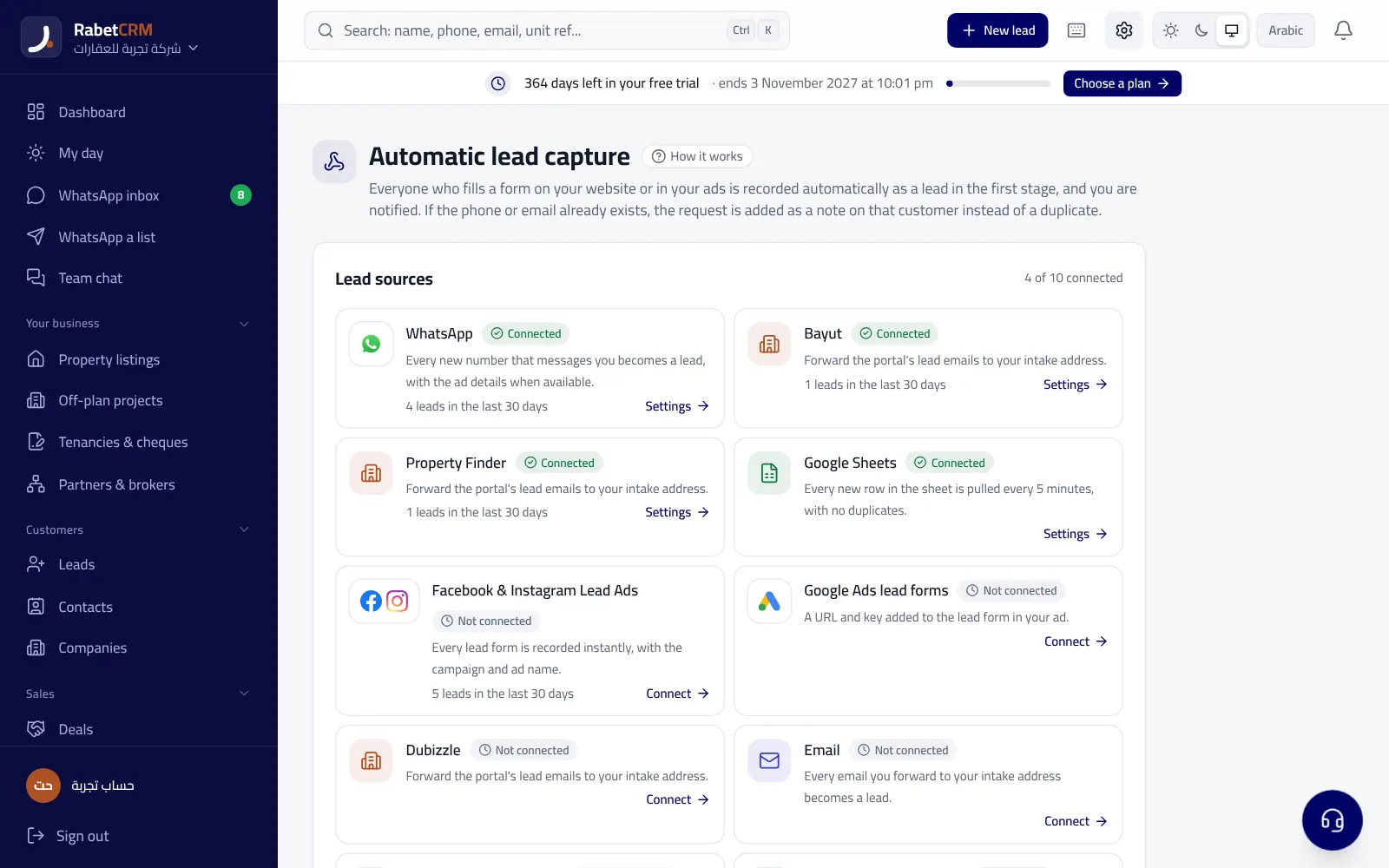
In RabetCRM you can connect Facebook and Instagram lead ads directly, so every lead enters the system as soon as it's submitted, along with the campaign and form name. Your website form leads come in the same way. That gives every lead a clear source from the first moment, and later you can see which campaign produced real deals and which produced only phone numbers.
If you have leads from other sources, such as property portals or direct calls, you can add them to the system manually or import them, so every client sits in one place under the same routing and follow-up rules. There's a comparison of the available portals in comparing property portals in Egypt.
Step two: distribute leads automatically
Once a lead lands, it needs an owner. In RabetCRM leads are distributed automatically round-robin across available salespeople, and the salesperson gets an instant alert. That stops leads piling up with one person, prevents ownership disputes later, and makes sure no lead is left without someone responsible, even during the rush after a new campaign launches.
You can set permissions so each salesperson sees only their own leads, while the manager and team leader see every lead and who hasn't been contacted yet. For more on team structure, read how Egyptian brokerages organize their sales team.
Step three: first touch by call, then WhatsApp
Many clients don't answer unknown numbers, especially at work. So make it a rule: call immediately, and if the client doesn't answer, send a short WhatsApp message introducing yourself and the project they asked about, and asking when suits them for a call. The message stays in front of the client even if they missed the call.
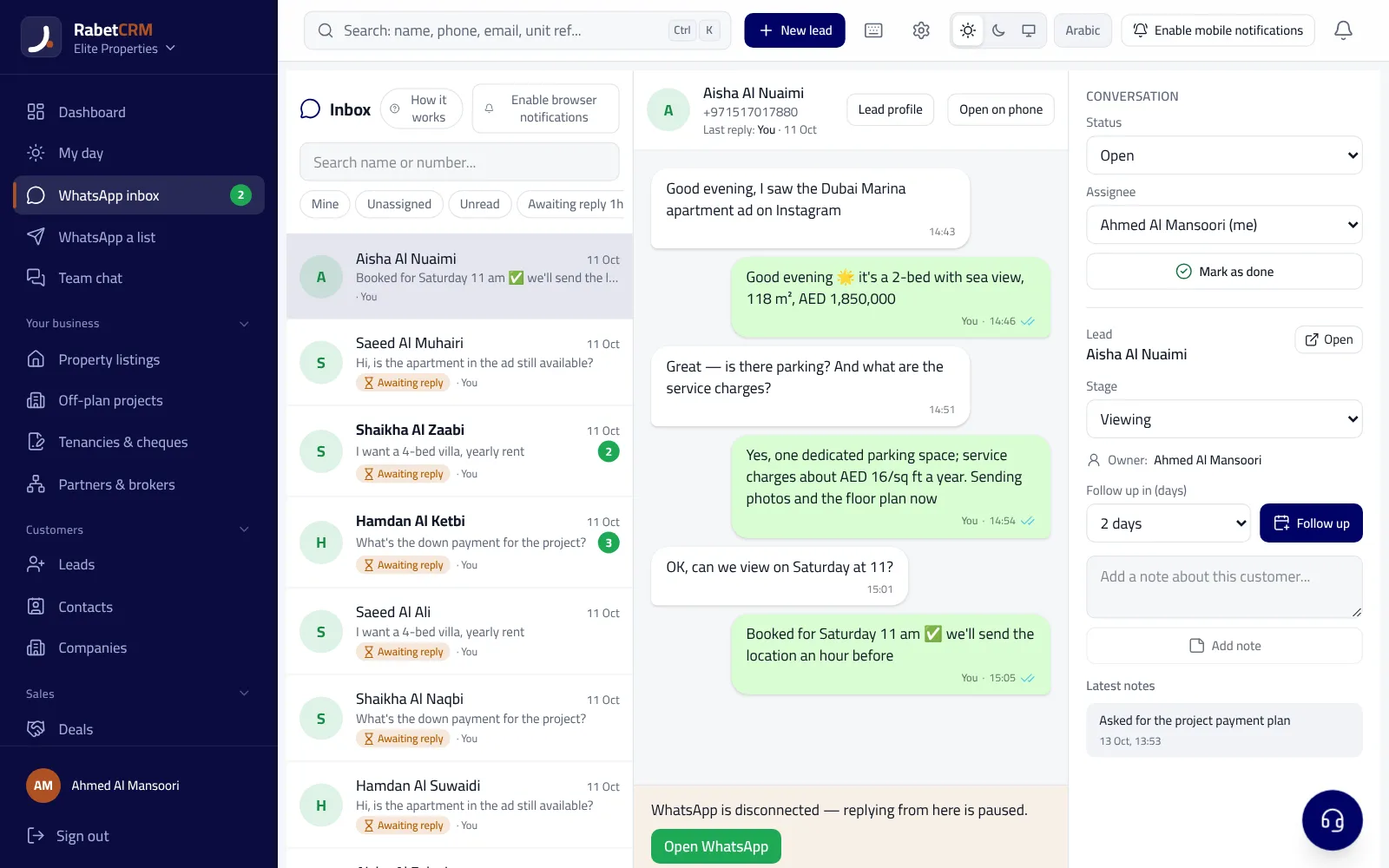
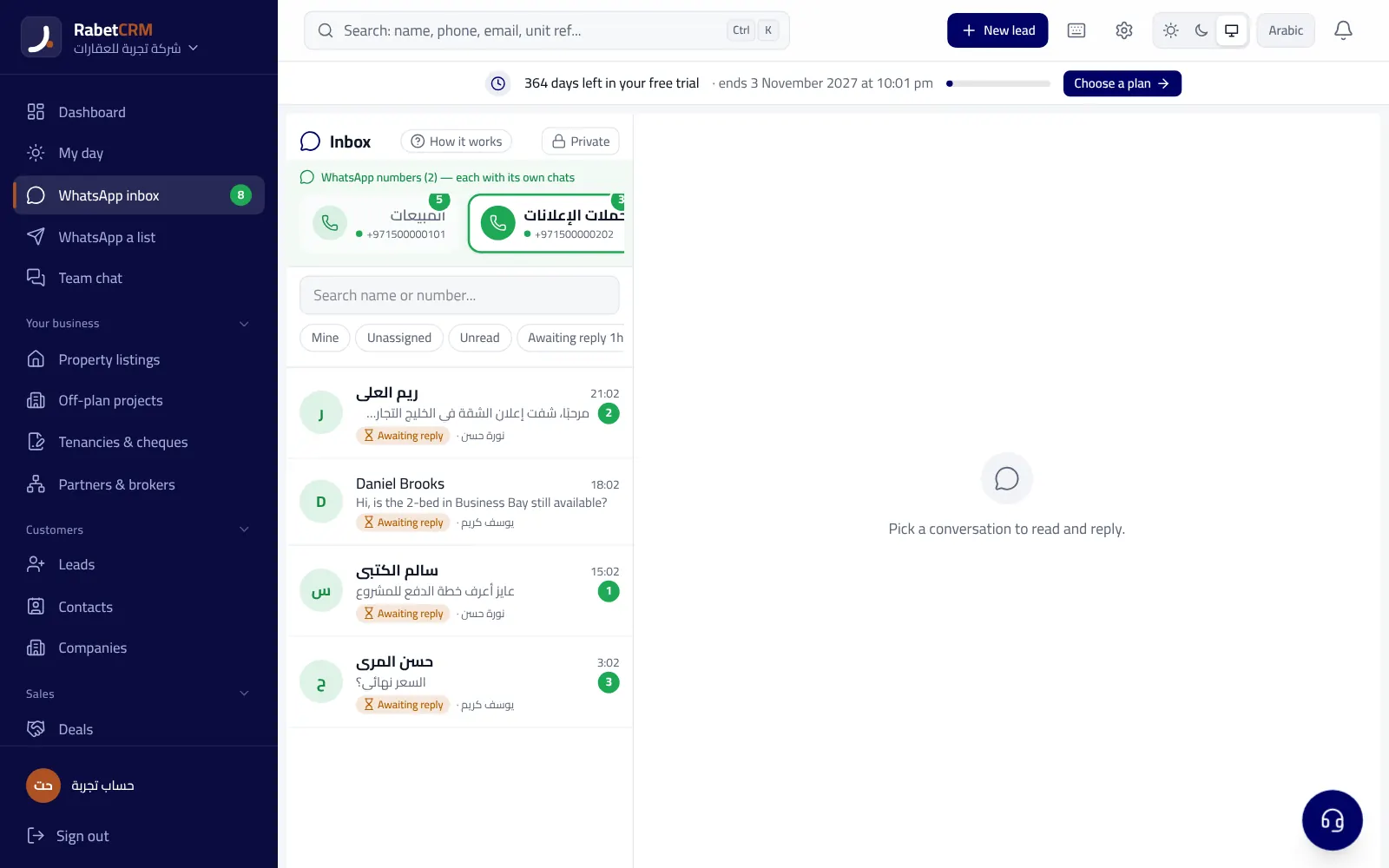
With RabetCRM's WhatsApp CRM, the salesperson sends this message from an inbox inside the system using templates the company prepares in advance, and the chat is logged on the client's file where the manager can see it. For ready-made examples, see WhatsApp messages for property clients in Egypt.
- Introduce yourself, the company and the project the client asked about
- Ask one clear question: area, down payment or a good time to call
- Don't send the brochure and every price in the first message
- Log the next follow-up date in the system right away
Follow-up after first contact: don't stop at one attempt
A client who didn't answer today may answer tomorrow, and one who said “I'll think about it” needs someone to return on the agreed date. In RabetCRM the salesperson logs a follow-up task with a set date, it appears on their list for that day, and the team leader sees overdue follow-ups for each salesperson. That way a lead's fate doesn't depend on anyone's memory.
As the client nears a decision, the deal moves through pipeline stages from contacted to viewing, then negotiation and contract. If the deal is on an off-plan unit, you can track the down payment and installments after signing as explained in the guide to tracking down payments and quarterly installments.
Measure deals per campaign, not lead count
A campaign bringing many cheap leads may look successful in Ads Manager, then turn out to be mostly wrong or uninterested numbers. Another campaign with fewer leads may bring more viewings and contracts. You can only know this if every lead's source is recorded and linked to its final outcome.
RabetCRM's lead-source report shows leads and deals per source, so you know where to put next month's budget. To learn more about running a whole property company on one system, read the guides to real estate CRM in Egypt and the best CRM in Egypt.
Start today
Connect your Facebook lead forms to the system, add your sales team and switch on automatic distribution, and prepare two or three templates for the first WhatsApp message. After your first campaign you'll know in numbers how many minutes first contact takes and how many leads became viewings. Keep in mind that clients' phone numbers are personal data protected in Egypt by Personal Data Protection Law No. 151 of 2020, so keep clear permissions on who can see them.
RabetCRM is built for real estate brokerages in Egypt, in Arabic and English and in Egyptian pounds. Learn about RabetCRM in Egypt, check the pricing, or start your free trial.
More articles
Real estate CRM across Egypt
FAQ
Can Facebook Lead Ads connect to the CRM directly?
Yes. In RabetCRM, Facebook and Instagram lead ads connect directly, so every lead enters the system as soon as it's submitted, with its campaign name, and is routed to a salesperson.
Why reply to a Facebook lead within minutes?
Because the client often fills in several companies' forms the same day, and whoever reaches them first while the ad is still on their mind wins their attention, while contact a day later finds a client who's already spoken to someone else.
What if the client doesn't answer the call?
Send a short WhatsApp message from a ready template introducing yourself and the project, and log a follow-up task with a set date in the system so the lead isn't forgotten.
How do I know which campaign brings real deals?
Record each lead's source the moment it lands and link it to the final outcome. RabetCRM's lead-source report shows leads and deals per source.
Can I add leads from property portals too?
Yes. Leads from portals and direct calls can be added manually or imported, so they sit alongside Facebook leads in one place under the same routing and follow-up rules.