Automatic WhatsApp messages: clients followed up even when you're busy
Most leads are lost in the first minutes or right before a viewing. RabetCRM sends the right message at the right time from the company's WhatsApp number: welcome, reminder, confirmation — and you can edit or switch off any of them.
Last updated:
The messages available
| Message | When |
|---|---|
| Welcome to a new lead with the agent's name | As soon as the lead is created and assigned |
| Appointment / viewing reminder | About 24 hours before |
| Second reminder | Two hours before — reply “1” to confirm or “2” to cancel |
| Off-plan buyer installment | 3 days before it's due |
| Out-of-hours and keyword replies | As you configure them |
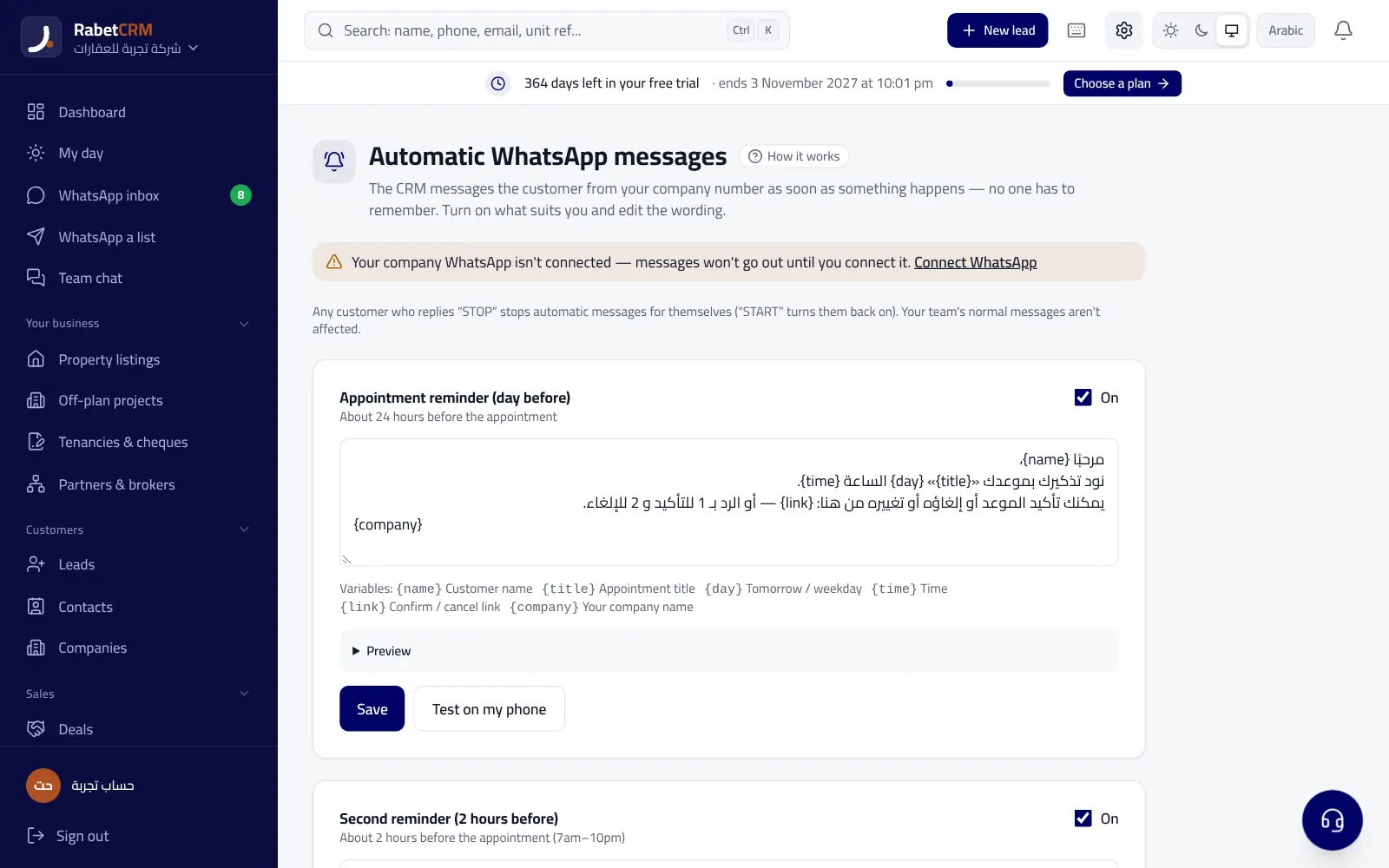
Professional wording you can edit
The default texts are in polite formal Arabic and formal English, with the client's name and your company's name. Edit any text and send yourself a test before switching it on.
Clients can reply “stop” to stop all automatic messages, and “start” to resume them.
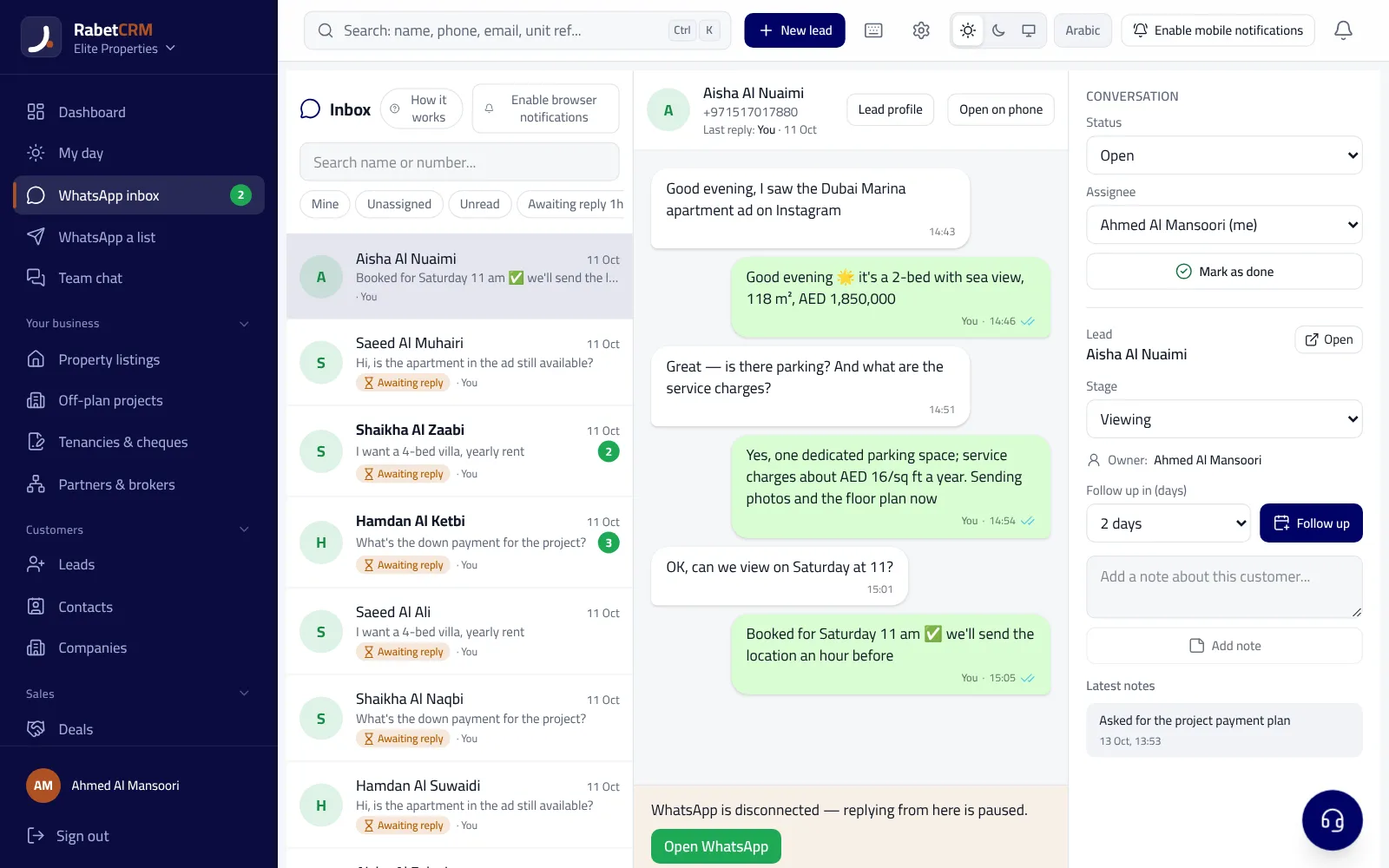
The client's journey with automatic messages
A client messages at 11pm from an ad: they get a polite out-of-hours reply, and in the morning they're routed to an agent and welcomed with the agent's name. The agent books a viewing for Thursday, so the client gets a reminder on Wednesday and another two hours before, replying “1” to confirm — and the appointment shows as confirmed for the agent.
If they buy an off-plan unit, they get a reminder 3 days before every installment until handover, without anyone in the office having to remember.
How to start
- Connect the company WhatsApp number in WhatsApp settings.
- Open Automatic messages, switch on what you need and edit the text if you like.
- Send yourself a test on your phone before letting it run.
Read more
Compare RabetCRM
FAQ
Do messages go out from my number?
Yes, from the company WhatsApp number linked to the CRM.
What happens when a client confirms?
The appointment is marked confirmed automatically and the agent sees it.
Can I turn off one message?
Yes, each message has its own on/off switch.